How I Built a Wine Bar POS System from Scratch in 4 Days Over Golden Week: An Intense Holiday with Claude Code
A non-engineer builds a complete POS system for his wife's wine bar in four days with Claude Code, running on a Synology NAS with Tailscale, Square and the Claude API.
Contents18 items
Hi there! I’m Kay, a self-proclaimed fake engineer who isn’t actually an engineer!
For the past few months I’ve been completely hooked on Claude Code… and before I knew it, I was spending six-plus hours a day building applications side by side with an AI. Maybe AI really is going to solve humanity’s loneliness problem.
Anyway. This time I want to tell you about four especially intense days in that Claude Code life of mine.
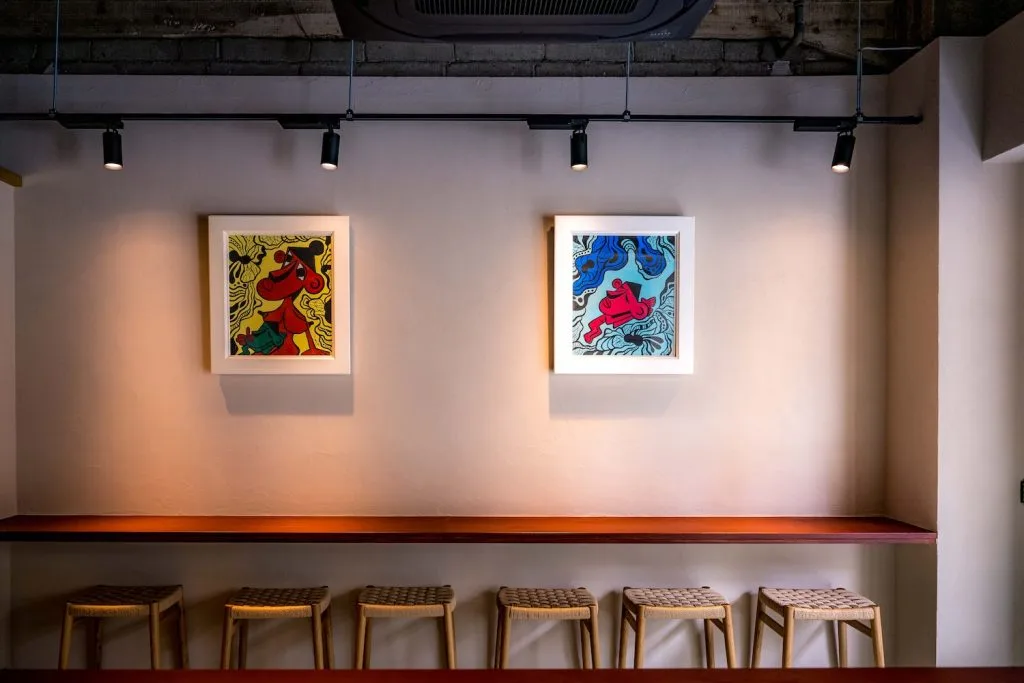
Recently, on May 18, 2025, my wife, who’s a certified Wine Expert, opened a wine bar called “efü” together with her sister!!
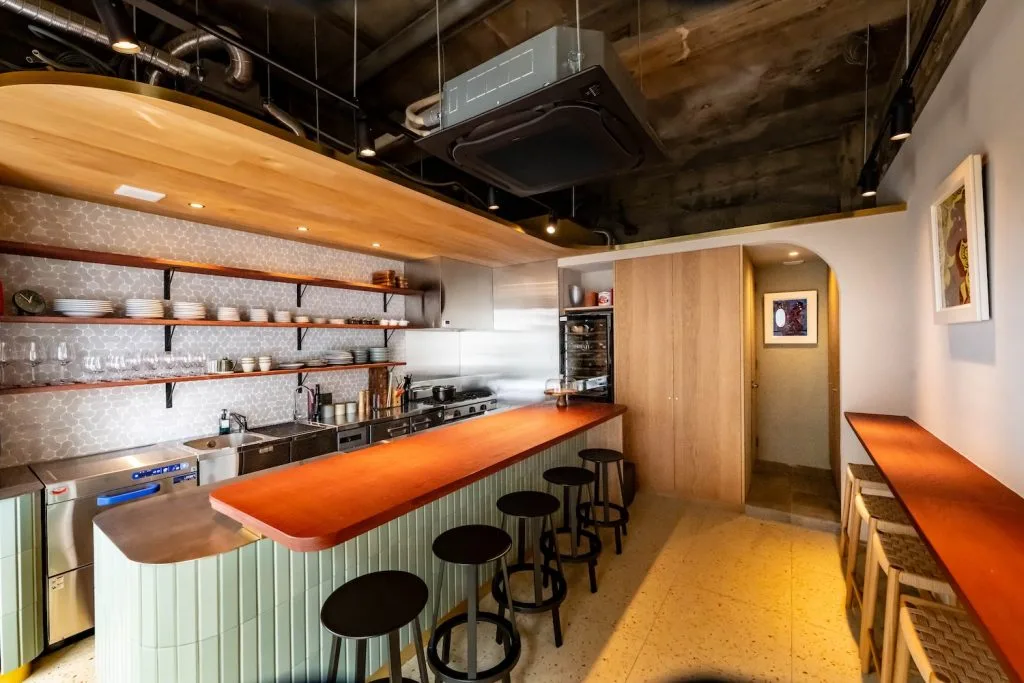
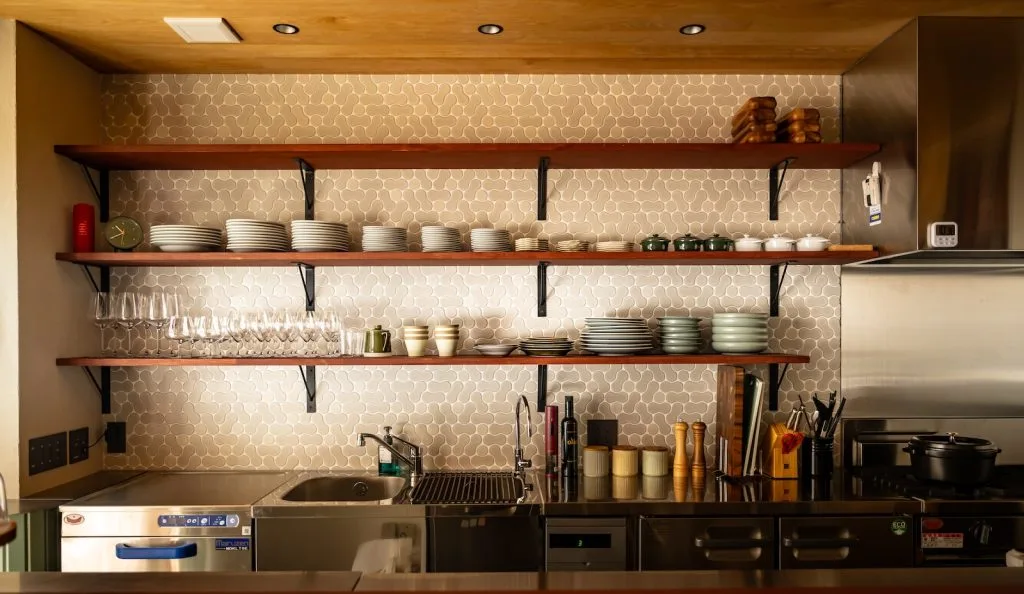
It’s a small wine bar where the two interior-loving sisters obsessed over every detail of the decor.
And right before the opening, a thought suddenly crossed my mind.
“A POS system for a wine bar… I could probably just build that, right?”
I’d gotten pretty good with Claude Code, I had a NAS, I had Tailscale… No, no, hold on, there’s no time before the opening…
But I couldn’t stop myself.
Over the four days of Golden Week, alternating between coffee and wine, I tore ahead side by side with Claude Code, and the result was —
the birth of “efuPOS,” a completely original POS system for a wine bar.
This post is the full story of that chaotic build, along with all the details I obsessed over!
Why build it myself in the first place?#
Typical cloud POS systems cost anywhere from several thousand to tens of thousands of yen a month. And you end up handing all your sales data over to the cloud.
“I want all the data on my own NAS!”
That was the biggest motivation. I didn’t want to entrust our sales, customer and purchasing data to an outside service. And since I already owned a Synology NAS and had Tailscale down pat, it looked like I could get the server, database and file storage all in one box with zero additional monthly cost.
And… honestly, part of it was that I just wanted to build it.
Infrastructure: my Synology NAS at home is the star#
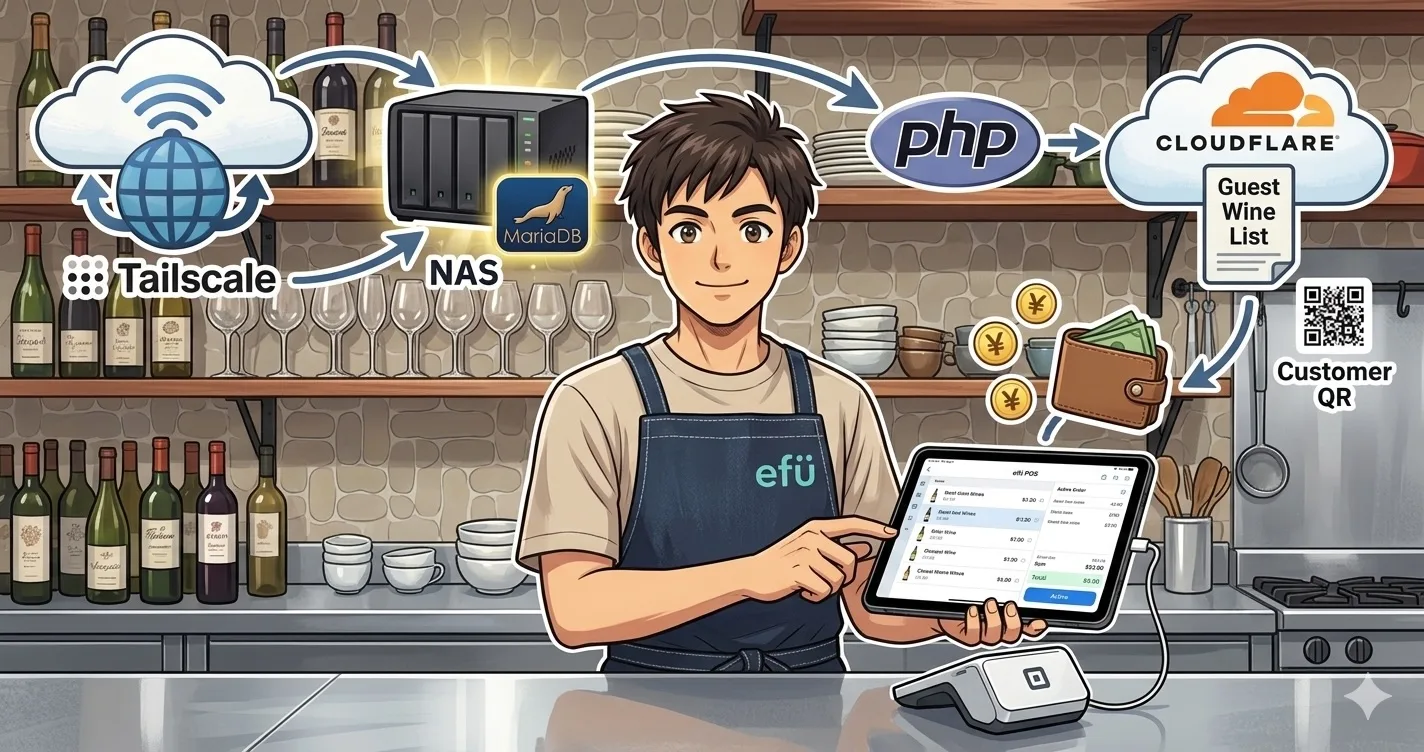
efuPOS’s back end comes down to just this recipe.
| Role | What I used |
|---|---|
| Web server + DB | Synology NAS (Web Station + Apache 2.4 + MariaDB) |
| VPN connection | Tailscale |
| Public access (wine list only) | Cloudflare Tunnel |
| Payment terminal | Square Terminal |
| Internet connection | WiMAX |
| Register and order taking | iPad, iPhone |
The architecture diagram is basically the featured image at the top of this post.
A NAS can be a server — that’s the first thing I want you to know. DSM 7.3 comes with MariaDB built in, and you can run Apache + PHP with Web Station. Zero extra cloud costs. Deploying is a single git pull. It’s just the best.
Obsession #1: a system that lets anyone serve, even without wine knowledge#
Not every staff member at a wine bar needs to be a sommelier. But when you bring a customer their wine, you want to be able to answer “What’s this one?”
So I built a wine list I obsessed over down to the last detail.
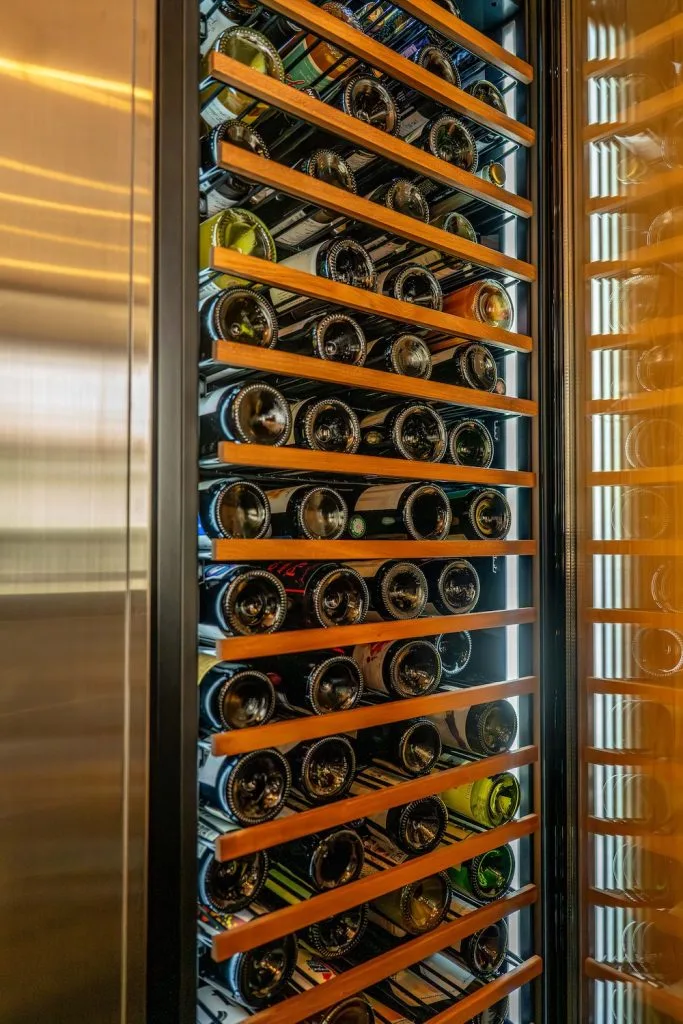
150 bottles of wine, all photographed by me#
Yep, I shot every single bottle myself. I barricaded myself in the bar with my Nikon for hours…
“The moment my storage-geek instincts started tingling”
I never thought my photography hobby would pay off here, but I shot all 150 bottles, tweaking the lighting as I went. Making sure the label text was legible, making sure the bottle color came out accurately — there was no end to the fussing.
A Japanese/English wine list for customers#
When customers scan a QR code, they can see information like this in Japanese and English. And of course it’s tied to live inventory!
- Wine name
- Region, grape variety, producer
- Tasting notes
- Glass and bottle prices
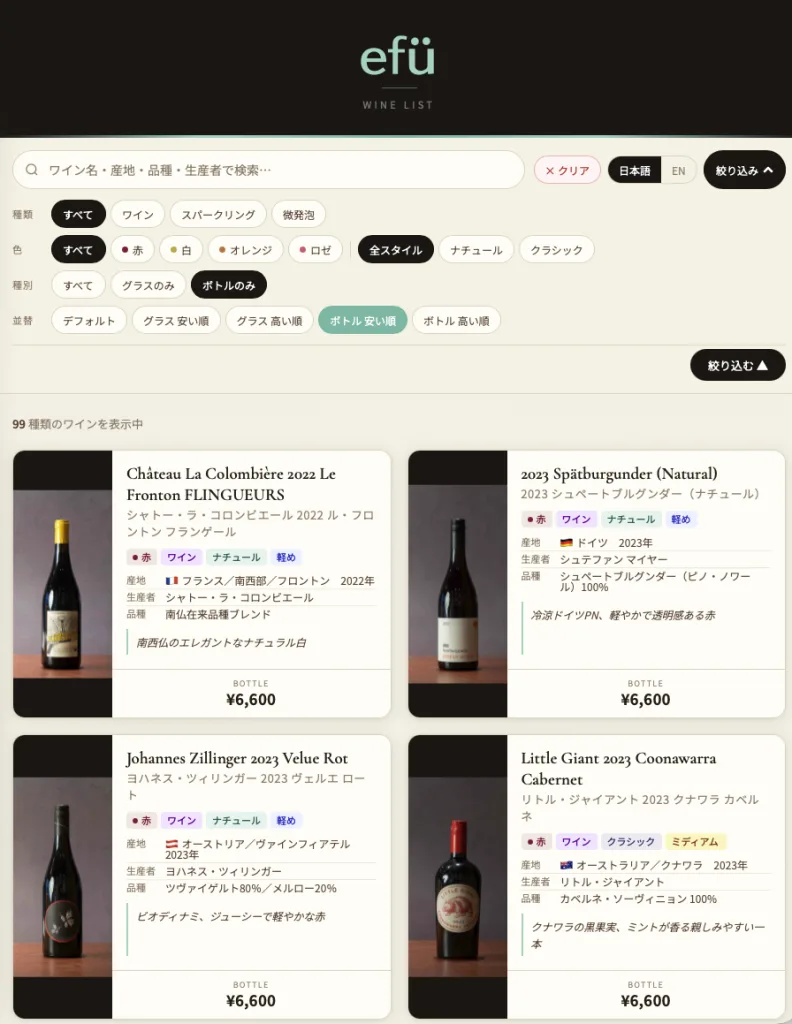
There’s also a Japanese/English toggle button. I built it with the optimistic belief that “we don’t get many international customers yet, but someday there’ll definitely be lots of them!!” (We are in Osaka, after all.)
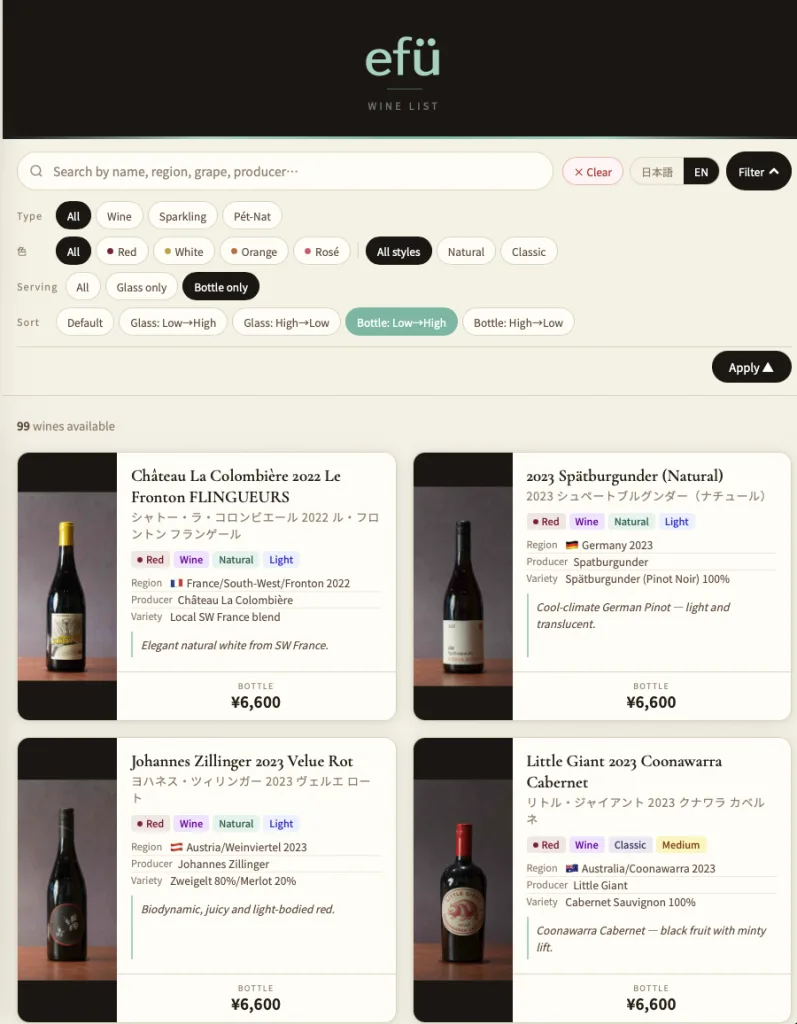
English view
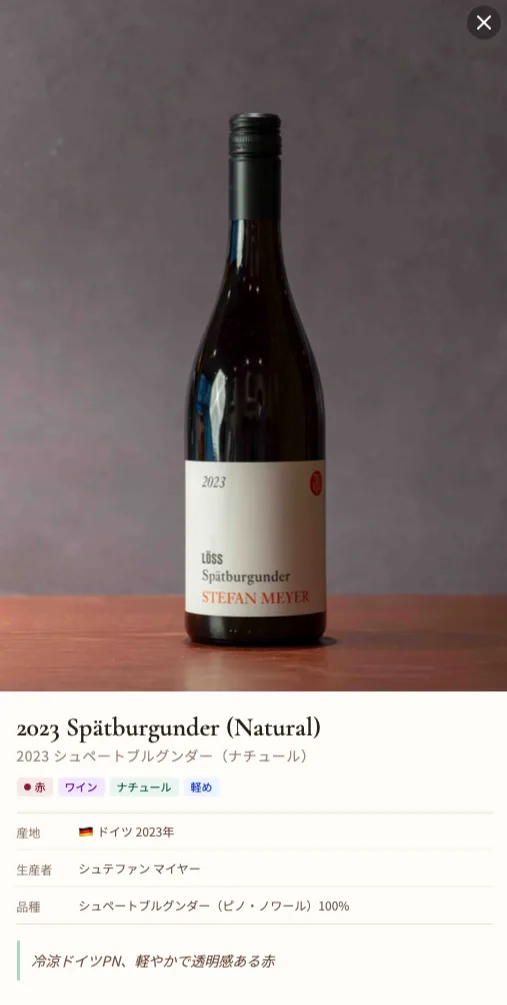
It adds easy-to-read icons for each wine’s characteristics, and even automatically attaches a country flag based on the region.
Automatic conversion from a bottle to “7 glasses”#
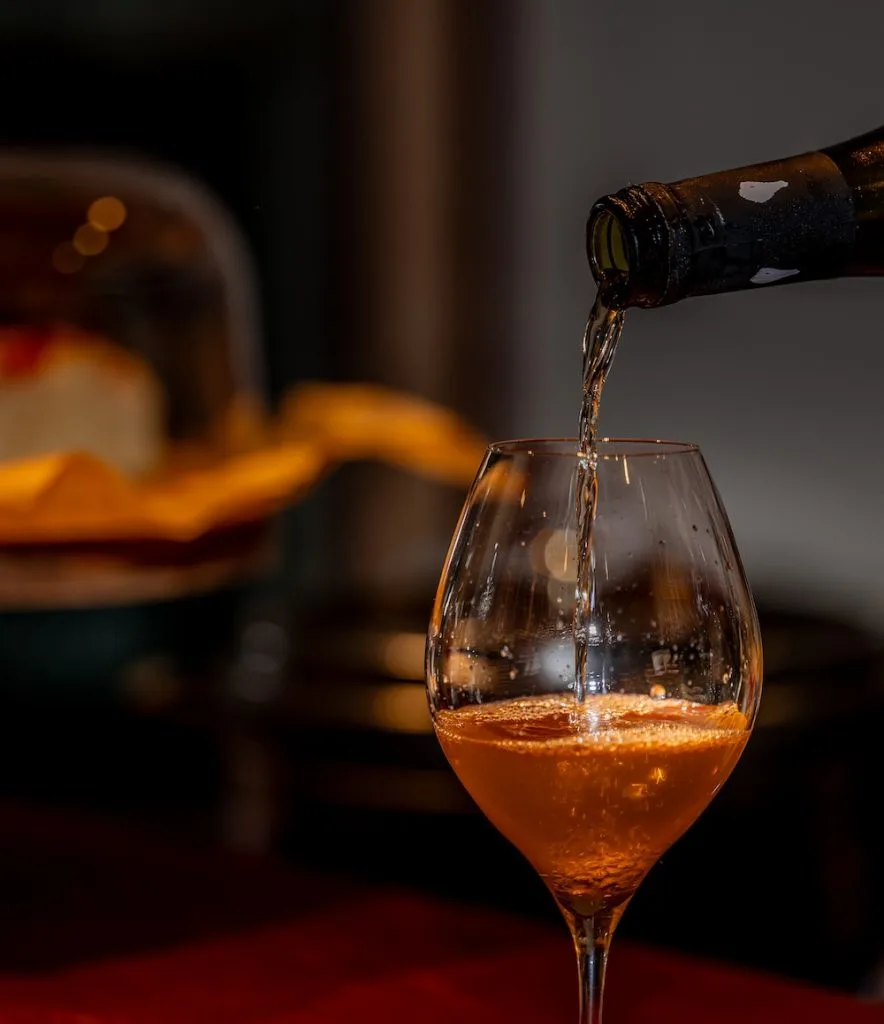
I built it so that when you buy in a bottle and record its opening (pulling the cork for the first time), it’s automatically converted into “7 glasses in stock.”
You can see at a glance how much is left by the glass, and once a bottle has been open for three days or more, it gets highlighted in orange. It’s designed so you never miss the time to throw it out.
Obsession #2: a matrix-style seat map that recreates the actual bar layout#
Most POS systems use a list format like “Table 1, Table 2…,” right?
“That’s no fun!!”
For efuPOS’s seat map, I went with a matrix layout that recreates the actual floor plan of the bar on screen.
The kitchen-side counter, the wall-side counter and the tables appear in the same positions on screen as in real life. Staff can tell intuitively, “Oh, that customer’s seat.”
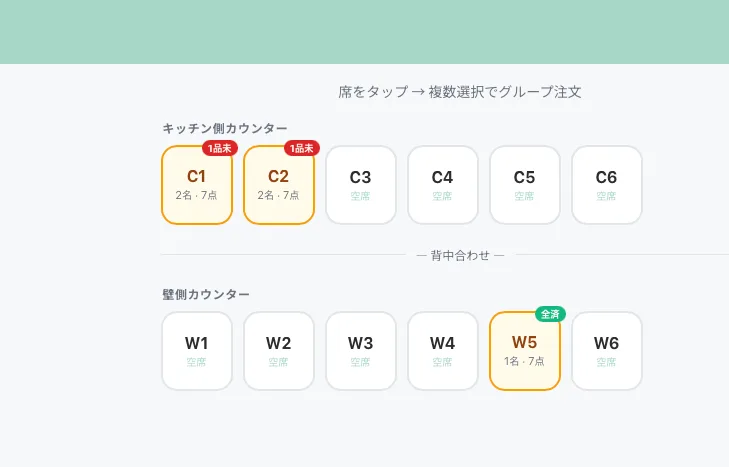
And since my iPhone on the same Tailnet can see this too, I can check how busy the bar is from outside, which is low-key super handy.
Features I sweated over#
- Moving seats: customers who decide midway “maybe we’ll move” can be handled with one tap
- Adding guests: add friends who join on the spot
- Adding seats: when it’s crowded, easily toggle the standing area on and off
- 180-degree rotate button: so staff can flip the screen when the iPad is placed facing the other way
- Visible unserved items: if there are items not yet served, they show up red on the map, and you mark them served from a serve list sorted by order time
- Easy checkout at the register: to check out, just tap a seat or group of seats on the register screen
Obsession #3: I wanted the Square Terminal to print cash receipts! Solved with an AI relay#
Card and e-money payments dominate in shops these days, but of course some customers still pay cash.
Even with a custom POS system, the Square Terminal (that sleek card reader) prints receipts for card and electronic payments automatically. But what about cash receipts?
First I asked Claude Code.
Claude Code: “That’s… difficult with the Square API.”
…Huh.
“If Claude Code says it can’t be done, then it really can’t be done.” Fully convinced of that, I went and bought a separate thermal printer on top of the Square Terminal.
But the printer that arrived had an unstable network connection. It kept connecting and dropping, which made it useless at the register…
Still wanting to print from the Square Terminal and unable to let it go, I tried asking Gemini the same question.
Gemini: “Sure, you can do that!”
Oh! But when I tried the code Gemini gave me, it didn’t quite work… half right, but not complete.
So I took Gemini’s code and this time asked Claude for a “second opinion” (regular Claude chat, that is).
Claude: “Gemini’s suggestion is partially correct. The right approach is this —”
It laid out a three-step flow: record the cash payment in the Payments API with Square’s source_id: 'CASH' → get the square_payment_id → send a print instruction with /v2/terminals/prints.
Then I handed Claude’s answer to Claude Code.
Claude Code: “Understood. I’ll implement it.”
It worked!!!
It was a bizarre little episode solved by a mysterious four-way AI relay: Claude Code → Gemini → Claude → Claude Code.
Obsession #4: AI reads the wine labels — registering stock now takes seconds#
Entering 150 bottles of wine by hand, one by one, is… hell.
Wine name, producer, region, grape variety, vintage, body, tasting notes…
“Wouldn’t it be better to just have AI read these?”
So I went ahead and built a feature where AI auto-fills everything from a photo of the wine label.
Take a photo of the front label, press the “Analyze with AI” button, and you get —
- Product name and English name
- Producer
- Region and grape variety
- Vintage
- Wine type, color, style and body
- Tasting notes
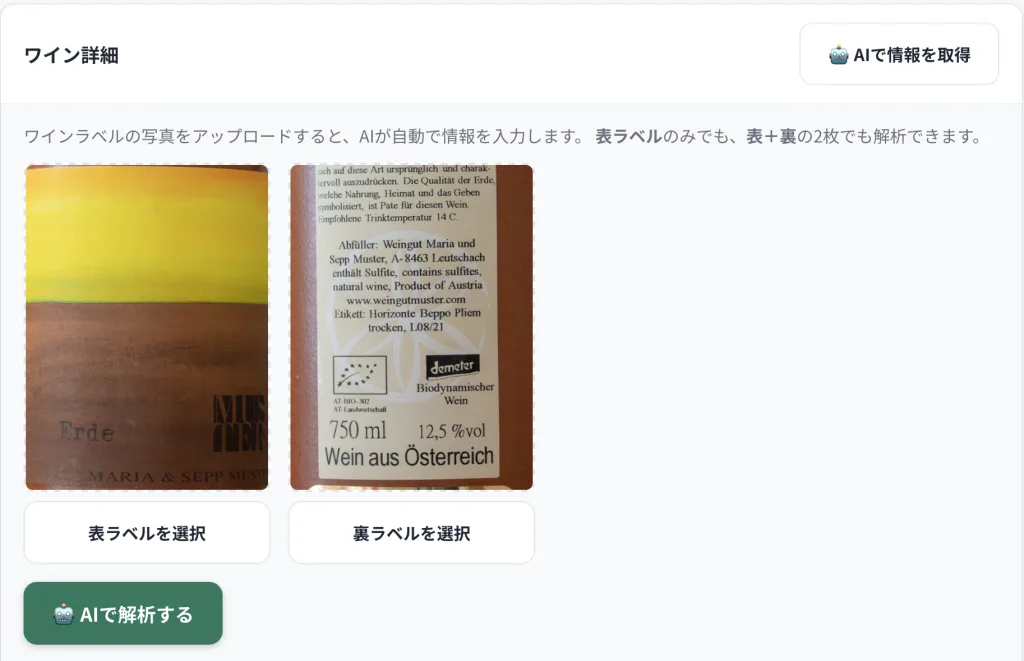
Upload the wine label! Adding the back label makes it even more accurate.
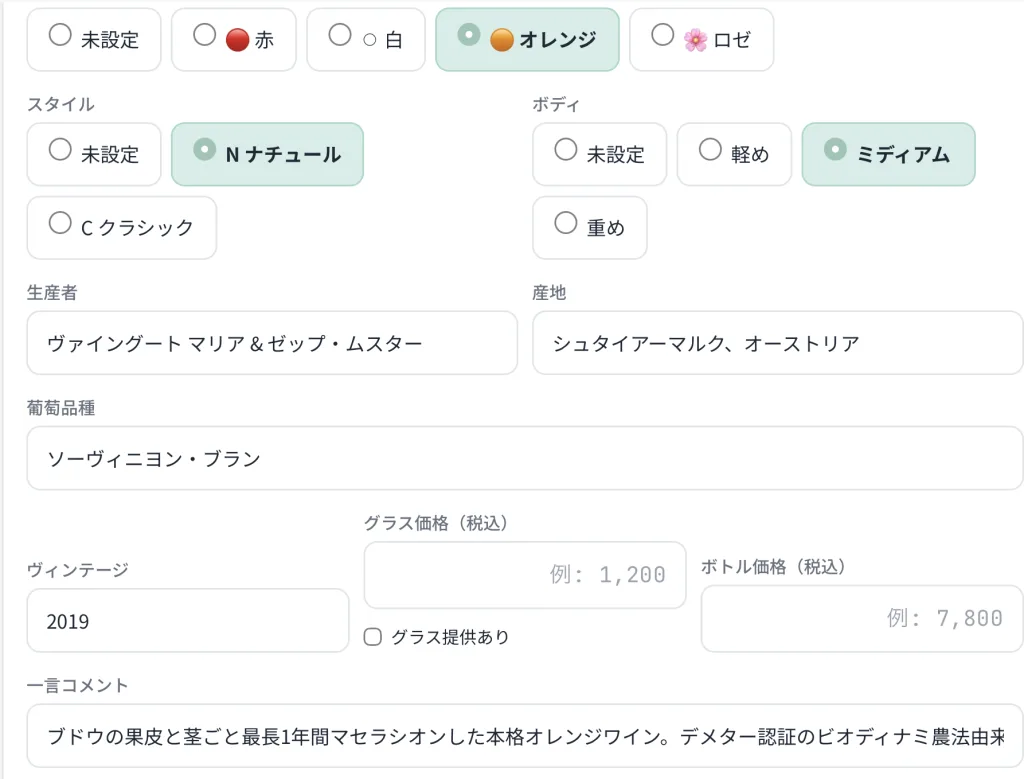
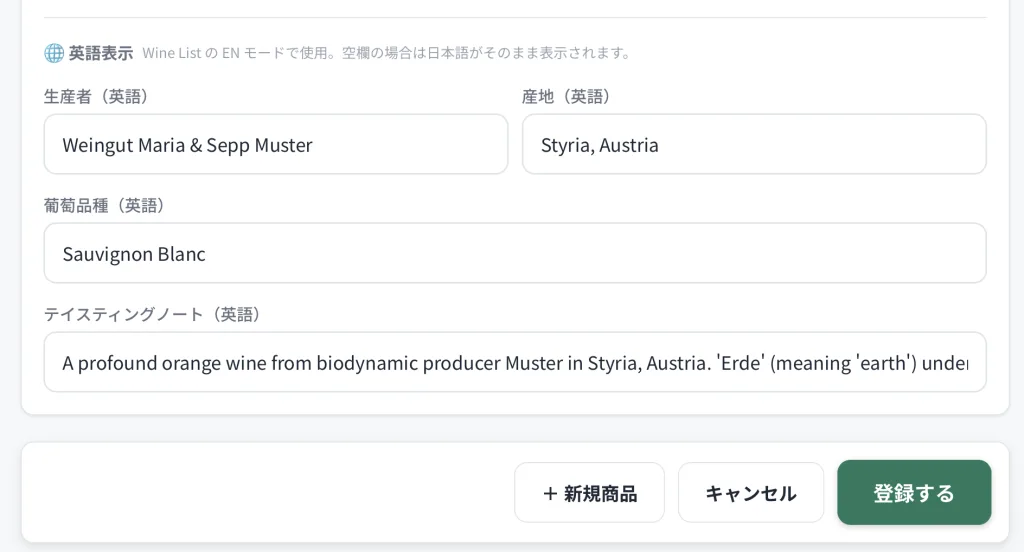
A few seconds later, the producer, grape varieties and the wine’s characteristics are filled in, in both Japanese and English.
Implementing the Claude API with just PHP + cURL#
For this feature, to skip the hassle of installing Composer in the NAS’s PHP environment, I wrote my own thin wrapper, lib/claude_api.php, using nothing but cURL.
// It's a simple REST API, so you can write it in about 10–20 lines without an SDK
$response = curl_exec($ch);
Zero dependencies, easy maintenance. That’s the real joy of building on your own NAS.
Tagging bottles with printed labels, and solving the “where’s that wine?” problem#
The data registered with AI also goes straight into label printing. By attaching tags printed with the wine name, variety, region and tasting notes to each bottle, staff can give a basic explanation on the spot even after picking it up — which ties back to Obsession #1: you don’t need to be a sommelier to serve.
And one more quietly important feature is location management. The wine inventory has a “location” column, and which shelf of the wine cellar each bottle is on is registered in the system.
“Where was that wine again…?”
Once you have a lot of bottles, this happens more than you’d think. The time spent wandering around the cellar after taking an order smartly drops to zero.
Obsession #5: digital receipts delivered by QR code and email#
“Can I get a receipt?” — a phrase you hear all the time at restaurants and bars.
With a typical POS system, you hand over a paper receipt and that’s that, but with efuPOS I built a way to send the receipt to the customer’s phone on the spot.
Two ways to receive it#
① Scan a QR code
When checkout is complete, a QR code for the receipt appears on the register screen. The customer scans it with their phone, and an official receipt page opens in their browser — that’s all. Printing or saving is up to them.
② Send it to an email address
For customers who’d rather have it by email, they just enter their address and the receipt is emailed to them.
How it works technically#
Internally, it runs like this.
- When checkout is finalized, the server issues a one-time token (a random string) and saves it to the DB
- A URL containing that token is turned into a QR code and shown on screen (QR code generation uses a library from a CDN, with zero server processing)
- When the customer opens the URL, the token is checked against the DB and the receipt HTML is displayed
- Email is sent with PHPMailer, via SMTP directly from the NAS
It also supports PDF downloads, so customers who need to import it into accounting software are covered too.
Bonus: no internet line! How I got by with WiMAX#
The truth is, the bar didn’t have an internet line from the start. Physically, there was no line at all. Sob…
“Wait… doesn’t Tailscale need the internet?”
So I got WiMAX. At first I connected in Plus Area mode (au’s 4G band), and almost immediately got speed-throttled. Cold sweat…
Once I switched to normal mode, though — it’s been working without any problems at all.
NAS access via Tailscale, publishing the wine list via Cloudflare Tunnel, communication with the Square Terminal — it all runs on this one connection. Thank you, WiMAX.
Summary: if you have a NAS, you can even build a POS system#
Let me sum up the setup of efuPOS, built in four days, one more time.
- ✅ NAS (Web Station + MariaDB + PHP): web server and database all in one, zero monthly cost
- ✅ Tailscale: VPN setup is just installing the app and logging in; the free plan supports up to 100 devices
- ✅ Cloudflare Tunnel: no port forwarding, no static IP needed, with a custom domain and automatic SSL
- ✅ Square Terminal: prints receipts for card, e-money and cash
- ✅ Claude API: wine label analysis, invoice OCR and receipt PDFs, all processed directly from the NAS
That’s all it takes.
Zero monthly cost (excluding Square’s payment fees). All the data on my own NAS. With Claude Code, we’ve reached an era where you can build this even if you’re not an engineer.
Give it a try yourself and build a POS system with a Synology NAS as the server! (I said that lightly, but those four days did eat into my sleep, so be warned.)
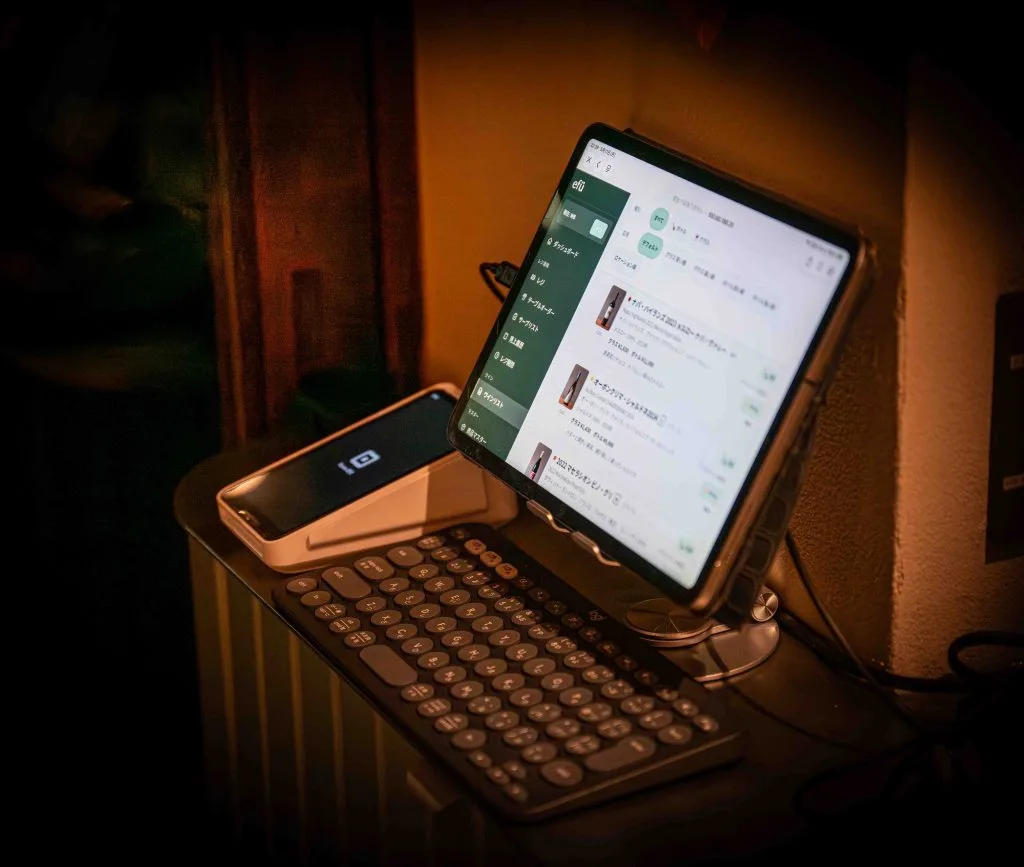
And the big question: how are sales…?#
In the first week after opening, lots of friends and acquaintances came by, and we were fully booked every day!! Thank you all so much.
The real test starts now.
It’s a wine bar with a warm, homey atmosphere. If you’re ever in Osaka, please feel free to drop in!
I’m sure efuPOS will be running there quietly, but reliably.