3D and Blender Integration
On this page10 items
In 10 seconds
You can control 3D software from outside and hand off repetitive work.
The real topic is where to draw the line: model by hand, delegate the repetition.
In Chapter 6, No.45, MCP was described as “the rules for connecting AI to outside systems”. 3D software can be one of those “outside systems” too.
This page covers the shape of the connection. It doesn’t name specific servers or give installation steps, because this field changes so fast that anything written is outdated by the time it’s published (the same policy as No.49).
What becomes possible#
Being able to control it from outside means you can ask for things in words.
- Create, duplicate and place objects
- Arrange things precisely by numbers and even out spacing
- Tidy up materials and naming in bulk
- Export with consistent settings
What these have in common is that they’re all the kind of work where you do the same thing over and over.
Drawing the line#
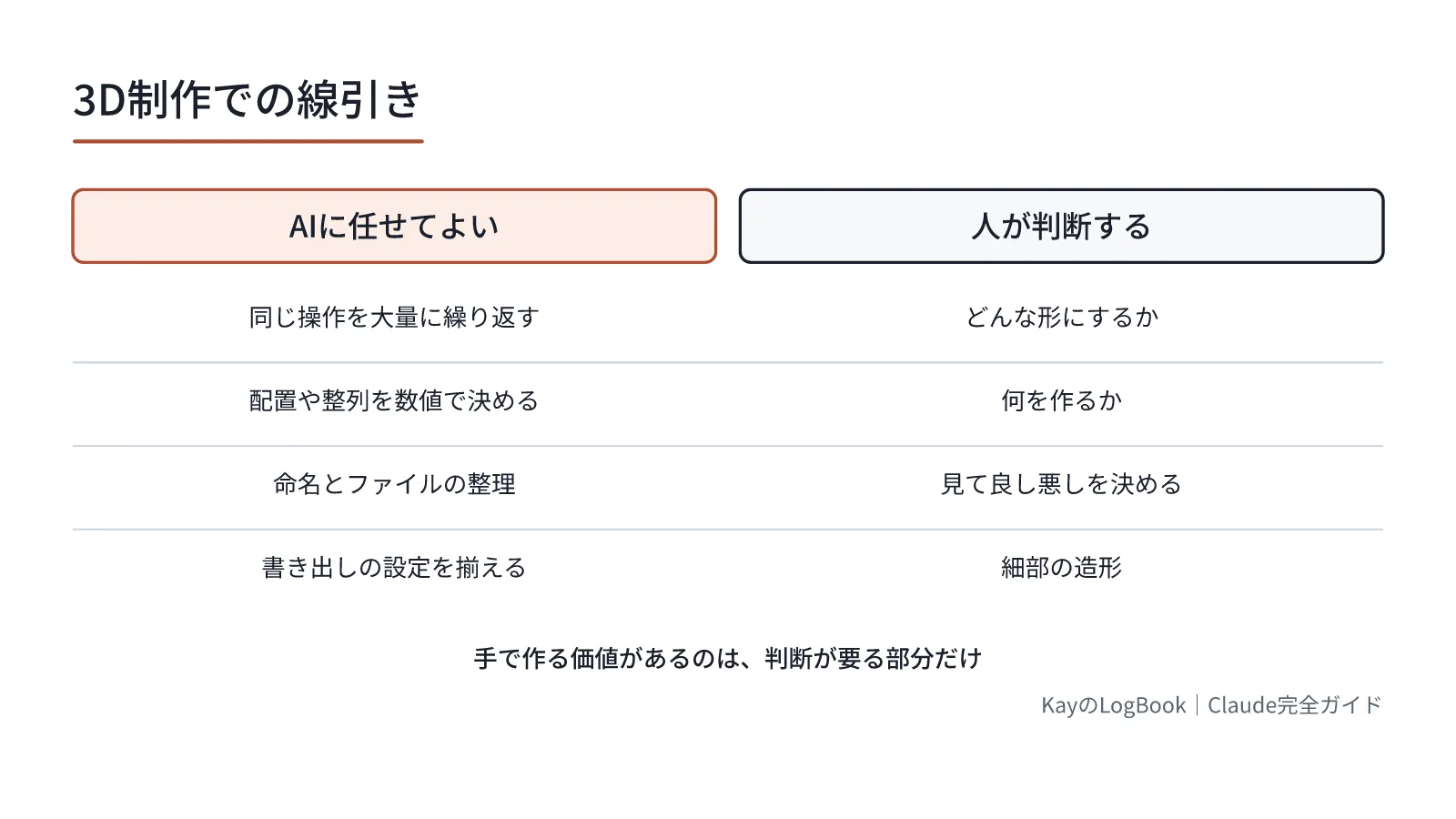
What you can delegate:
- Repeating the same operation many times
- Deciding placement and alignment numerically
- Naming and organizing files
- Keeping export settings consistent
What people do:
- Deciding what shape it should be
- Deciding what to make
- Looking at it and judging whether it’s good
- Detailed modeling
If you delegate the modeling itself, it usually falls apart. You get “plausible placement”, but not “a good shape”. This is the same message throughout Chapter 10.
The shape of the connection#
The pattern from Chapter 6, No.48 applies directly.
If an MCP server already exists: check where it’s distributed from before connecting it (No.50). Being able to control 3D software means being able to rewrite files.
If you build your own: most 3D software can run scripts. Build a tool that calls those scripts and you have an MCP server.
Here too, the tool’s description determines how accurate it is (No.48).
"""Place the given number of objects in a grid.

Existing objects are not moved. Only duplicates are newly created.
Placed objects are named "<original name>_<sequence number>".

Args:
    source_name: name of the object to duplicate
    rows: number of rows (1-50)
    cols: number of columns (1-50)
    spacing: spacing (meters)
"""
“Existing objects are not moved.” Stating explicitly what the tool won’t do like this really works.
Order of work#
Here’s the pattern to follow when you actually do it.
1. Make one by hand. Create the reference piece yourself.
2. Put into words what to repeat. This is where ambiguity surfaces.
3. Try it small. Not 100 right away; start with 3.
I want to try (the task).

・First, run it on just 3
・I'll look at the results before continuing with the rest
・Don't change the original file; work on a duplicate
Always include the line about working on a duplicate. As in Chapter 4, No.27, the basic rule is never to let it touch the original. 3D files are hard to recover once broken.
4. Check, then expand. The three checks from Chapter 4, No.33 (count, edges, diff) work as they are.
Exporting for games#
This is where it connects with No.75. Keeping export settings consistent is a classic repetitive task.
Export the models in this folder for use in a game.

・Format and settings: (the settings you decided)
・Name the files consistently as "(rule)"
・Make the scale and axis orientation consistent
・List anything that couldn't be exported, with the reason

Don't change the original files.
Scale and axis orientation are where manual work produces the most mistakes. Just making these consistent cuts down the work when you bring the assets into the game.
On safety#
Operating 3D software means operations that rewrite files. Chapter 3, No.21 and Chapter 6, No.50 apply directly.
- Use a separate working folder
- Work on a copy of the original
- Don’t let it delete things
- Don’t connect unfamiliar servers
It’s 3D data, more than code, that you can’t get back. Once you lose something you modeled by hand, you can never make exactly the same thing again.
Try it: list the tasks you keep repeating (3 minutes)
If you use 3D software, use your work there. Even if you don’t, the way of thinking about repetitive work is the same.
Prompt
“`
Here are tasks I keep repeating in 3D work. Classify each one as
”can be automated from outside” or “should be done by hand”.Include the following in your reasoning:
・Whether the task can be specified with numbers or requires visual judgment
・Whether it can be undone if it fails・(about four tasks)
“`Expected result: The tasks split into two groups, with “can it be specified with numbers?” at the center of the decision.
If it doesn’t work: If everything comes back as “should be done by hand”, your tasks are described too coarsely. Break one task into steps and you’ll see the parts that can be automated.
Common pitfalls#
Delegating the modeling. You’ll get plausible shapes, but not good ones.
Letting it work on the original. Always use a duplicate.
Running it at scale right away. Start with 3.
Expecting specific installation steps from this page. They aren’t here because things change so fast. Check the official sources or the distributor’s information.
Related pages#
- No.48 Building Your Own MCP Server — the shape of the connection
- No.50 MCP Security — checks before connecting
- No.75 Game Development — where the assets go
Summary#
- Model by hand, delegate the repetition
- In tool descriptions, state explicitly what the tool won’t do
- Have it work on a duplicate, not the original
- It’s 3D data, more than code, that you can’t get back