Prompting Basics for Claude
On this page6 items
In 10 seconds
Give Claude the same document, and what comes back still changes with how you write the instructions.
What’s missing is usually one of three things: the output format, the decision criteria, or how to handle exceptions.
Chapter 1 explained that Claude picks “likely words.” A straightforward conclusion follows from that: if you write in a way that leaves only one possible continuation, you’re more likely to get what you want.
From this chapter through Chapter 7, we’ll work through a single task as our running example.
The example used from this chapter on
Five suppliers have sent quotes as PDFs. You want to gather the product name, quantity, unit price and delivery date into a single table.
By hand, it takes an hour. This task changes shape as the chapters progress. Chapter 2 starts by handing the quotes to chat one at a time.
Ask three times about the same document#
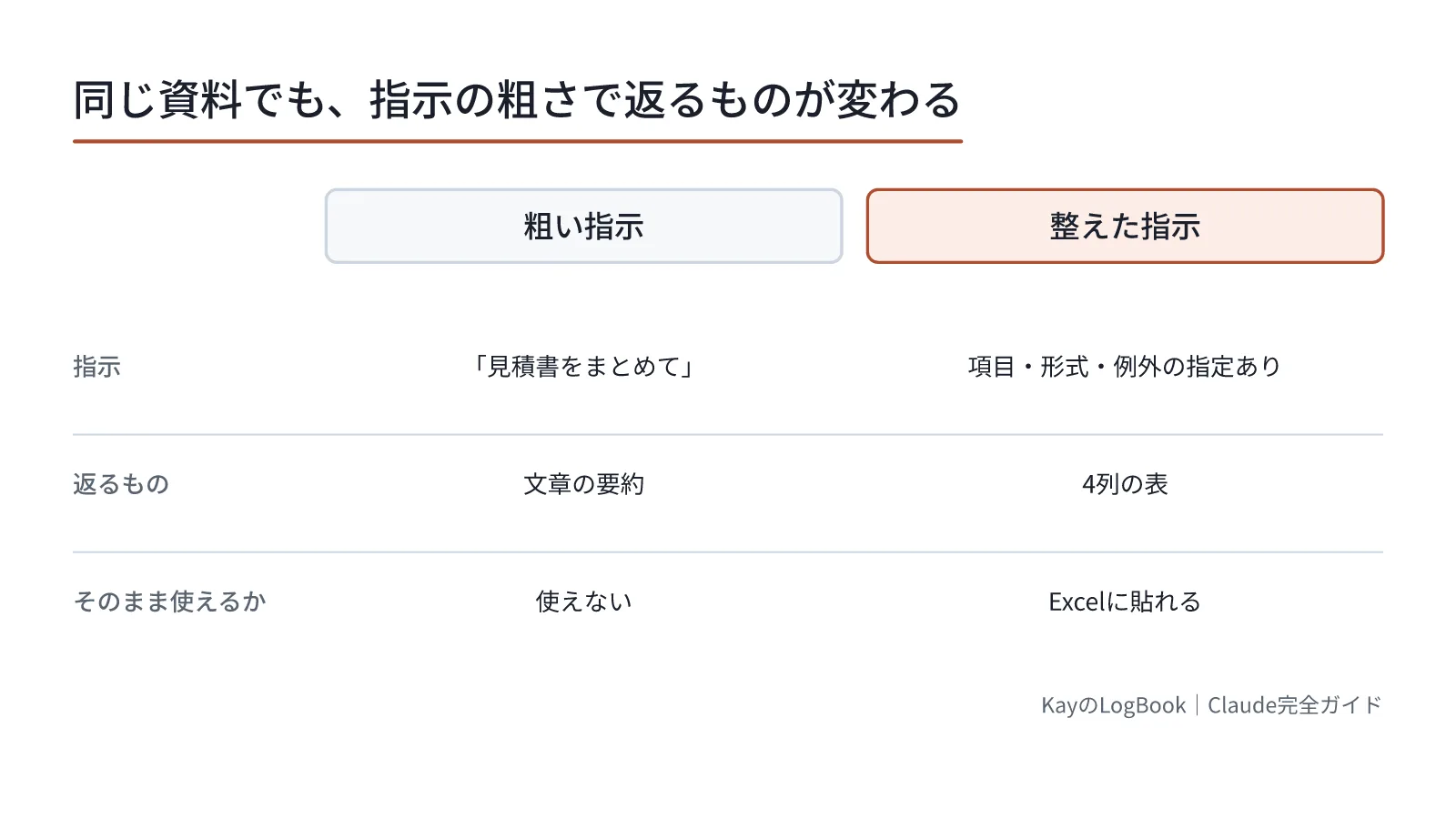
First attempt. Attach the PDF and write this.
Please pull this quote together.What comes back is a prose summary of what’s written. It’s readable, but since it isn’t a table, you can’t use it for the next step. Claude interpreted “pull together” as “summarize,” because the phrase works either way.
Second attempt. Add the output format.
From this quote, extract the product name, quantity, unit price and delivery date into a table.This time a table comes back. Much better. But the unit prices mix in ”¥” or “yen,” and delivery dates vary in format, like “3 weeks” or “9/15.” That’s because the PDF says so.
Third attempt. Add decision criteria and how to handle exceptions.
From this quote, extract the product name, quantity, unit price and delivery date into a table.

・Unit price as a number only. No symbols or units
・Format delivery dates as "YYYY-MM-DD". If given as a duration, convert it counting from today
・Leave unreadable items blank, and below the table note which page and where they are
Now you have a table you can paste straight in. The only difference between the third and first attempts is the instructions, not the document.
The three things that were missing#
Let’s sort out what we added, one by one.
Output format. A table or prose? If a table, how many columns? “Pull together” doesn’t specify a format.
Decision criteria. When formats are inconsistent, which way should they be normalized? If you don’t specify, they come back as written in the document. That isn’t wrong, but it leaves you stuck.
Exception handling. When something can’t be read, what do you want done? If you don’t write this, Claude may silently fill it in with a guess. That’s the scariest kind of failure. If you write “if you can’t tell, leave it blank and tell me where,” you’re left with a list of places to check.
One more thing that works#
You can show one concrete example.
Please use the following format.
| Product | Quantity | Unit price | Delivery date |
| Office desk A | 5 | 32000 | 2026-09-15 |
Rather than writing ten lines of explanation, showing one line of example is faster and more accurate. It works best precisely when a format is hard to explain.
Try it: compare a rough instruction with a refined one (3 minutes)
Have one PDF or photo ready. An invoice, a receipt, a business card — anything works.
Prompt (first attempt)
Please pull this document together.After you see the reply, continue in the same conversation with this.
From the same document, extract the date, counterparty and amount into a three-column table. Amount as a number only. Leave unreadable items blank and tell me where they are.Expected result: the first reply is prose, the second a three-column table. The number of columns and their contents match what you specified.
If it doesn’t work: if the second reply is also prose, the words “a table” got buried. Cut the instruction short and put only “Make a three-column table” on the first line.
Common pitfalls#
Thinking politeness is what matters. Length has nothing to do with accuracy. Adding “sorry to trouble you” or “if possible” doesn’t change the result, and the conditions that actually matter get buried. Keep it short, with conditions as bullet points.
Giving instructions only in the negative. “Return only the table” gets through better than “don’t write anything extra.” Writing what you want done leaves only one possible continuation.
Aiming for perfection in one shot. It’s a conversation, so you can add more after seeing the reply. Getting 70% right on the first try is plenty; filling in the rest with follow-up instructions is faster.
Summary#
- Even with the same document, it’s the instructions that determine what comes back
- What’s missing is usually the output format, the decision criteria, or exception handling
- For formats that are hard to explain, showing one line of example is faster