Creating Skills
On this page8 items
In 10 seconds
A single
SKILL.mdturns a repeated procedure into a reusable component.
It’s loaded only when used, so even a long procedure doesn’t crowd your everyday context.
#38 said “don’t put procedures in CLAUDE.md.” Skills are where procedures go.
How it differs from CLAUDE.md#
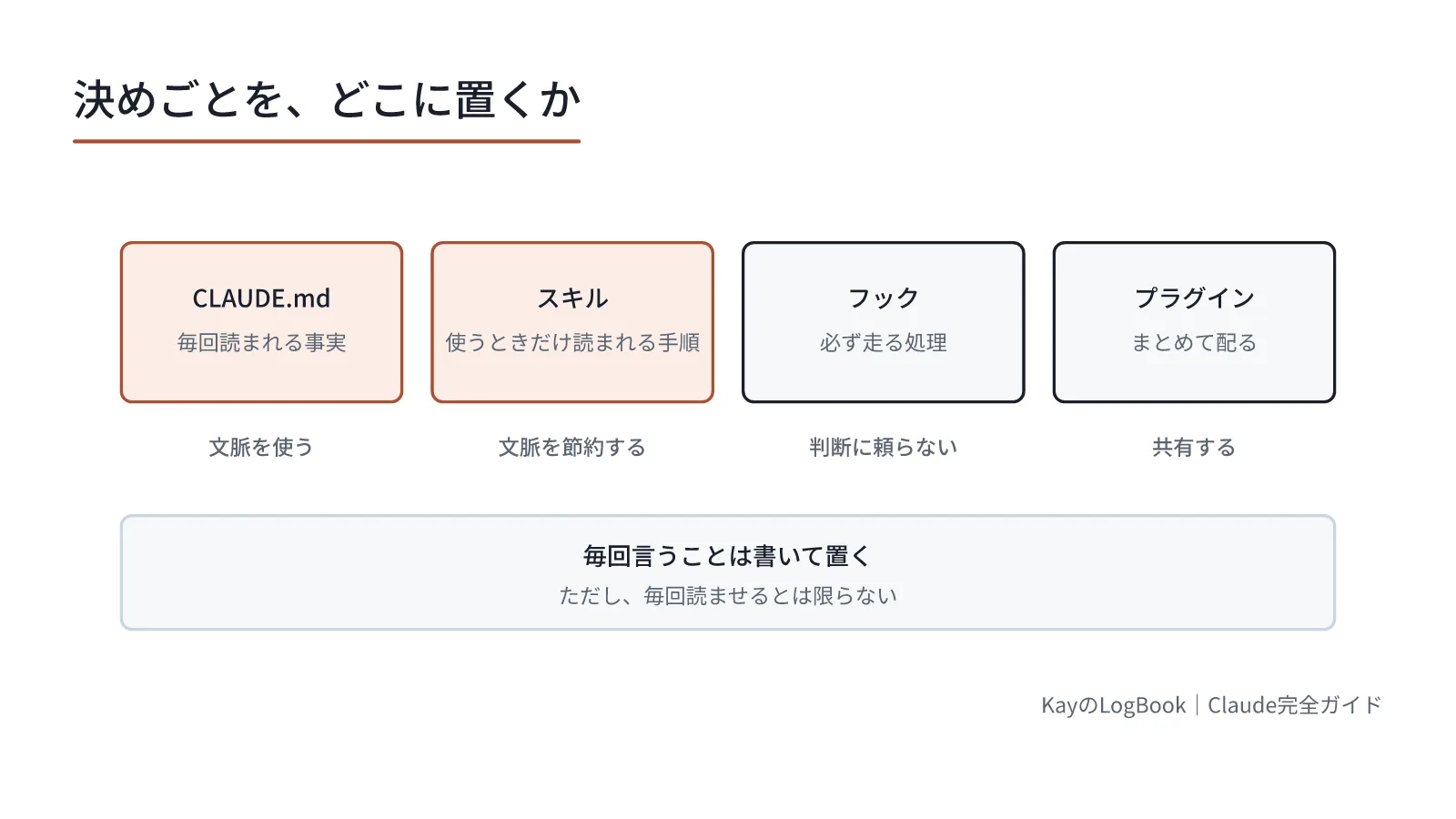
There is only one difference: when it gets loaded.
CLAUDE.md is read every time. A skill is read only when used.
That’s why the official documentation says you can put long reference material in a skill and it costs almost nothing until it’s used.
When to create one is also clear.
- You keep pasting the same instructions or procedure
- A section of
CLAUDE.mdhas grown from facts into a procedure
The second one rings truest. If you start writing “steps to do X,” that’s a skill.
How to create one#
Just make a directory and put a SKILL.md in it.
mkdir -p ~/.claude/skills/summarize-changes---
description: Summarize uncommitted changes and point out risky spots. Use when asked about what changed or when a commit message is requested
---
## Current changes
!`git diff HEAD`
## Steps
Summarize the diff above in 2-3 points, then list any risks you notice.
Missing error handling, hard-coded values, tests that need updating, and so on.
If the diff is empty, say there are no uncommitted changes.The directory name becomes the command name. In this example, you can call it with /summarize-changes.
Two key points.
description decides how it gets invoked. Claude reads this description to decide whether to use the skill right now. The trick is to write in what situations to use it; a description of the function alone won’t get it invoked automatically.
Lines starting with ! embed the output of a command. In the example above, the result of git diff HEAD goes into the prompt before Claude reads it. You can show it the real thing instead of having it guess.
Where to put them#
| Location | Scope |
|---|---|
~/.claude/skills/ | All your projects |
.claude/skills/ | This project (shared via Git) |
Put anything you want to share with your team in the project. Same idea as CLAUDE.md.
Note that the former “custom commands” have been merged into skills. Both .claude/commands/deploy.md and .claude/skills/deploy/SKILL.md become /deploy. Existing files keep working as they are.
What was built for this guide#
As a real example, here is a check created while making this guide.
While writing Chapter 2, the bold formatting rule was broken three times in one day. Rewriting the CLAUDE.md wording twice didn’t fix it.
So the procedure was turned into components: a fix tool that moves punctuation at the end of bold text outside it, and a step that checks for it before publishing. The former is a repeated procedure, so it follows the skill idea; the latter must always run, so it was built into the check program.
The conclusion at the time: if it’s broken twice, it’s not an attention problem but a system problem (#25).
Built-in skills#
Claude Code ships with some skills from the start: /doctor, /code-review, /debug, /loop and more. Before building your own, look at what already exists.
/doctor inspects your setup, and /code-review reviews a diff. Both are useful day to day.
Try it: turn an instruction you keep repeating into a skill (5 minutes)
Pick one instruction you’ve pasted into Claude Code many times.
Prompt
“`
Turn the following instruction that I keep pasting into a skill.
- Create it under ~/.claude/skills/
- Write the description so it’s clear in what situations to use it
- Embed command output if possible
- Show me the file contents before creating it
Instruction: (paste here)
“`Check the contents before letting it create the skill, then try calling it with
/skill-name.Expected result: the skill is created and can be called as a command.
If it doesn’t work: if it isn’t invoked automatically, the
descriptionis describing the function. Add “Use when…”.
Common pitfalls#
Turning everything into a skill. With too many, Claude picks the wrong one. Only things you’ve repeated three or more times.
Writing too short a description. This is what decides whether it gets invoked. Be specific about when to use it.
Writing “do it nicely” instead of steps. A skill’s contents are instructions. If they’re vague, results change every time.
Summary#
- Skills are read only when used. Long procedures cost nothing
- One
SKILL.md. The directory name is the command name descriptiondecides how it’s invoked. Write when to use it- When
CLAUDE.mdgrows into procedures, that’s a skill