Adding and Managing MCP Servers
On this page9 items
In 10 seconds
Decide two things, where to put the configuration (scope) and how to connect (transport), and you can add a server.
Just never put credentials somewhere shared with your team.
Three scopes#
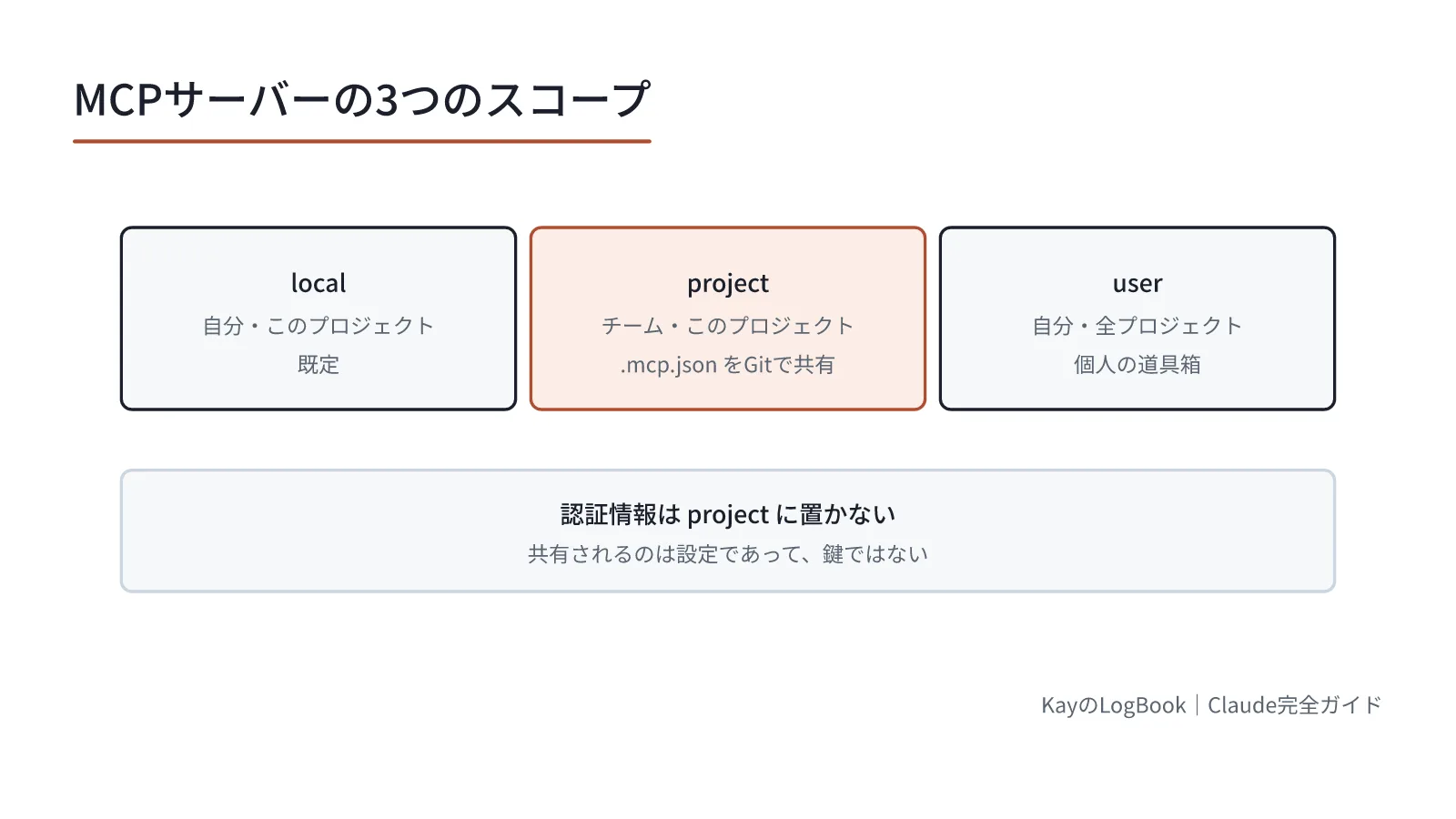
Here’s how the official documentation lays it out.
| Scope | Applies to | Shared |
|---|---|---|
local (default) | This project only | No |
project | This project only | Shared with the team via .mcp.json |
user | All your projects | No |
Only project is shared. Use it if your team uses the same servers. There is one caveat, though.
Don’t put credentials in project. The official documentation states it plainly: the right approach is to put sensitive credentials in user or local. What should be shared is “where to connect,” not “the keys.”
.mcp.json supports environment variable expansion. Put the configuration in Git and pass the keys via environment variables. That way you get both.
{
  "mcpServers": {
    "api-server": {
      "type": "http",
      "url": "${API_BASE_URL:-https://api.example.com}/mcp",
      "headers": { "Authorization": "Bearer ${API_KEY}" }
    }
  }
}Three ways to connect#
HTTP. The recommended option for connecting to remote servers.
claude mcp add --transport http github https://api.githubcopilot.com/mcp/ \
--header "Authorization: Bearer YOUR_GITHUB_PAT"stdio. For running the server as a local process.
claude mcp add --transport stdio airtable --env AIRTABLE_API_KEY=YOUR_KEY \
  -- npx -y airtable-mcp-server
Watch where the -- goes. Everything after it is passed as is as the server’s command. It’s a separator that keeps those arguments from mixing with Claude’s own options.
Note that SSE is deprecated. If you’re setting up something new, choose HTTP.
Authentication#
If the server supports OAuth, a single command gets you through.
claude mcp login sentryIn environments where a browser can’t open (over SSH, for example), add --no-browser. From inside a session, you can do the same thing by opening /mcp and selecting the server.
For internal authentication (Kerberos, short-lived tokens, corporate SSO), you can specify a script that generates headers dynamically. Put the script’s path in headersHelper, and the JSON the script returns becomes the headers.
Checking status#
claude mcp listThe status shown can be used directly for troubleshooting.
| Display | Meaning |
|---|---|
✔ Connected | Ready to use |
! Needs authentication | Login required |
✘ Failed to connect | Connection failed (with the HTTP status code) |
⏸ Pending approval | Awaiting approval in project scope |
⊘ Disabled for this project | Disabled for this project |
From inside a session, /mcp shows the same thing. It prevents you from carrying on without noticing a server isn’t connected, so when something isn’t working, look here first.
Tool definitions are loaded lazily#
This directly affects cost. By default, MCP tool definitions aren’t loaded right away. They’re looked up when needed (tool search).
The reason is the one given in #44: tool definitions themselves eat into the context. Connect 10 servers and load all their definitions up front, and that alone adds up to a lot.
If you want certain servers you always use to be loaded up front, you can add "alwaysLoad": true to their configuration.
project scope requires approval#
Servers in project scope go through an approval step the first time. It’s a safeguard so that a server someone else added to the repository doesn’t silently start running.
However, the official documentation includes a warning: in non-interactive claude -p runs and Agent SDK sessions, they’re loaded without approval. If you open repositories in automated runs, explicitly restrict servers with options such as --strict-mcp-config.
Try it: See what’s connected right now (3 minutes)
Run this in your terminal.
bash claude mcp listInside a session, use
/mcp; to see how much context they occupy, use/context. Then ask this.Prompt
List the MCP servers currently connected, and for each one tell me "whether it has actually been used recently" and "whether it's read-only or can also write". Point out any that aren't being used.Expected result: You find servers you’re not using. There’s usually at least one you connected and forgot about.
If it doesn’t work: If you haven’t connected anything yet, that’s fine. Choose one by use case in #47.
Common pitfalls#
Writing credentials directly into .mcp.json. They’ll end up in Git. Pass them via environment variables.
Forgetting the --. With stdio, arguments meant for the server get interpreted as Claude’s own options.
Connecting and forgetting. Unused servers add both context and risk. You can disable them in /mcp.
Summary#
- There are three scopes. Only
projectis shared - Don’t put credentials in
project. Configuration in Git, keys in environment variables - Connect via HTTP (recommended) or stdio. SSE is deprecated
- When something doesn’t work, check the status with
claude mcp listfirst