The Context Window
On this page8 items
In 10 seconds
The context window is the size of Claude’s desk. Whatever is on the desk is visible, but once it overflows, the oldest items drop out of view first.
This is why long conversations drift.
In a long conversation, there comes a moment when it feels like Claude has “forgotten what I said earlier.” A format you asked for falls apart. Content from a document you provided goes missing. A name gets mixed up.
This isn’t a bug. It comes from a mechanism called the context window. There’s a limit to how much can be in view at once, and whatever no longer fits drops out of view, one item at a time.
The size of a desk#
The closest analogy is a work desk.
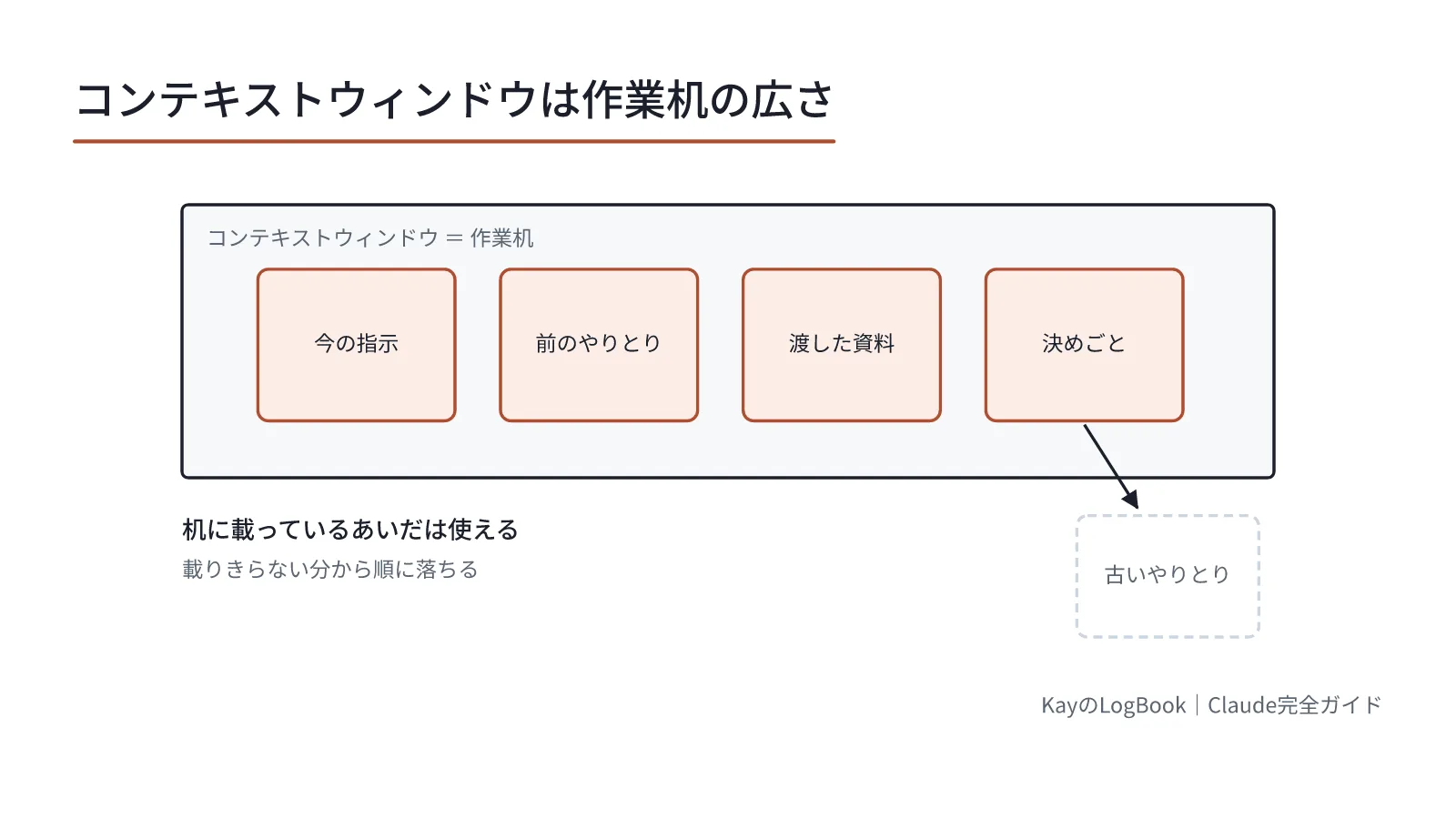
On the desk sit the current instruction, the conversation so far, the documents you handed over, and the decisions made along the way. As long as something is on the desk, it can be referred to at any time. Each new sheet takes up space, and when things no longer fit, the oldest ones get pushed off.
Once a sheet has left the desk, its contents can’t be read anymore. That’s why “what I said earlier” goes missing. It’s closer to say it has dropped out of view entirely than that it was forgotten.
The key point is that how full the desk gets depends on the length of the conversation. Lots of short exchanges in separate chats don’t crowd it. It gets crowded when you keep a single conversation going on and on.
How big is it?#
These are the figures listed in the official documentation as of August 2026.
| Model | Context window |
|---|---|
| Claude Fable 5 | 1 million tokens |
| Claude Opus 5 | 1 million tokens |
| Claude Sonnet 5 | 1 million tokens |
| Claude Haiku 4.5 | 200,000 tokens |
According to the official explanation, 1 million tokens is roughly 555,000 words, or 2.5 million characters. That’s very large, and you’ll almost never use it all up in everyday conversation. In normal use, you start to feel the limit when you paste in a large volume of material, or when you keep the same conversation going for days.
These figures do change. Check the official documentation for the latest, including the numbers in No. 07 and No. 08.
What happens when it overflows?#
It doesn’t necessarily stop with an error. Instead, older parts of the conversation may be summarized and shrunk. In English this is called compaction, and this guide uses that term too.
After compaction, the conversation can continue, but details are lost: the fine formatting rules you set at the start, ideas you rejected along the way, the exact spelling of proper nouns. Anything that didn’t make it into the summary is as good as gone.
When it feels like Claude has “started saying something different from before,” this is usually why.
Try it: hand a conversation over (3 minutes)
A template for moving a long conversation into a new one.
Prompt
Please summarize our conversation so far so I can continue it in another chat. Split it into three parts: what's been decided, what's still undecided, and the formatting I want you to follow. Use bullet points.Expected result: You get bullet points under three headings. Paste them as the first message of a new conversation and you can pick up where you left off.
If it doesn’t work: If the summary is too long, add “in 20 lines or fewer in total.” A long handoff crowds the new desk right from the start.
Common pitfalls#
Thinking bigger is always better. Even a big desk is hard to search if the paperwork is scattered everywhere. Piling on unrelated material buries the parts that matter. Size and accuracy are separate things.
Using one conversation forever. It looks convenient, but results are more stable if you split conversations when the topic changes. This is covered in No. 06.
Trying to check by asking whether it forgot. Claude can’t reliably tell you about things that have dropped out of view, because it can’t see that they’re missing. Rather than checking, it’s more reliable to restate important points in the conversation or keep them somewhere else.
Tips for going further#
The standard approach for instructions and material you’ll use over a long period is to keep them outside the conversation: put material in a Project, have memory remember it, or write it in CLAUDE.md. The differences between these places are summarized in No. 05.
Related pages#
- No. 03 What Is a Token? — the unit used to measure the size
- No. 05 What AI Remembers and What It Doesn’t — ways to keep things outside the conversation
- No. 06 How to Split and Grow Your Chats — when to split
- No. 24 Designing Context — the art of not overstuffing
Summary#
- It’s how much can be in view at once. Nothing is forgotten; it just drops out of view
- When it overflows, compaction kicks in, and details that didn’t make it into the summary are lost
- Keep important things outside the conversation, not inside it