Accounting, Taxes and Back-Office Work
On this page12 items
In 10 seconds
Claude’s job here ends at organizing your materials.
Tax rules change every year. Don’t let it state tax amounts as fact, and don’t let it prepare your returns.
First, what this page does not cover#
- It does not cover how much tax you will owe
- It does not cover whether a given cost is deductible
- It does not cover preparing tax returns
There are two reasons. Tax rules change every year, and the answer depends on individual circumstances.
The primary source is the National Tax Agency. Leave the judgment calls to a tax accountant or another professional.
Where to draw the line#
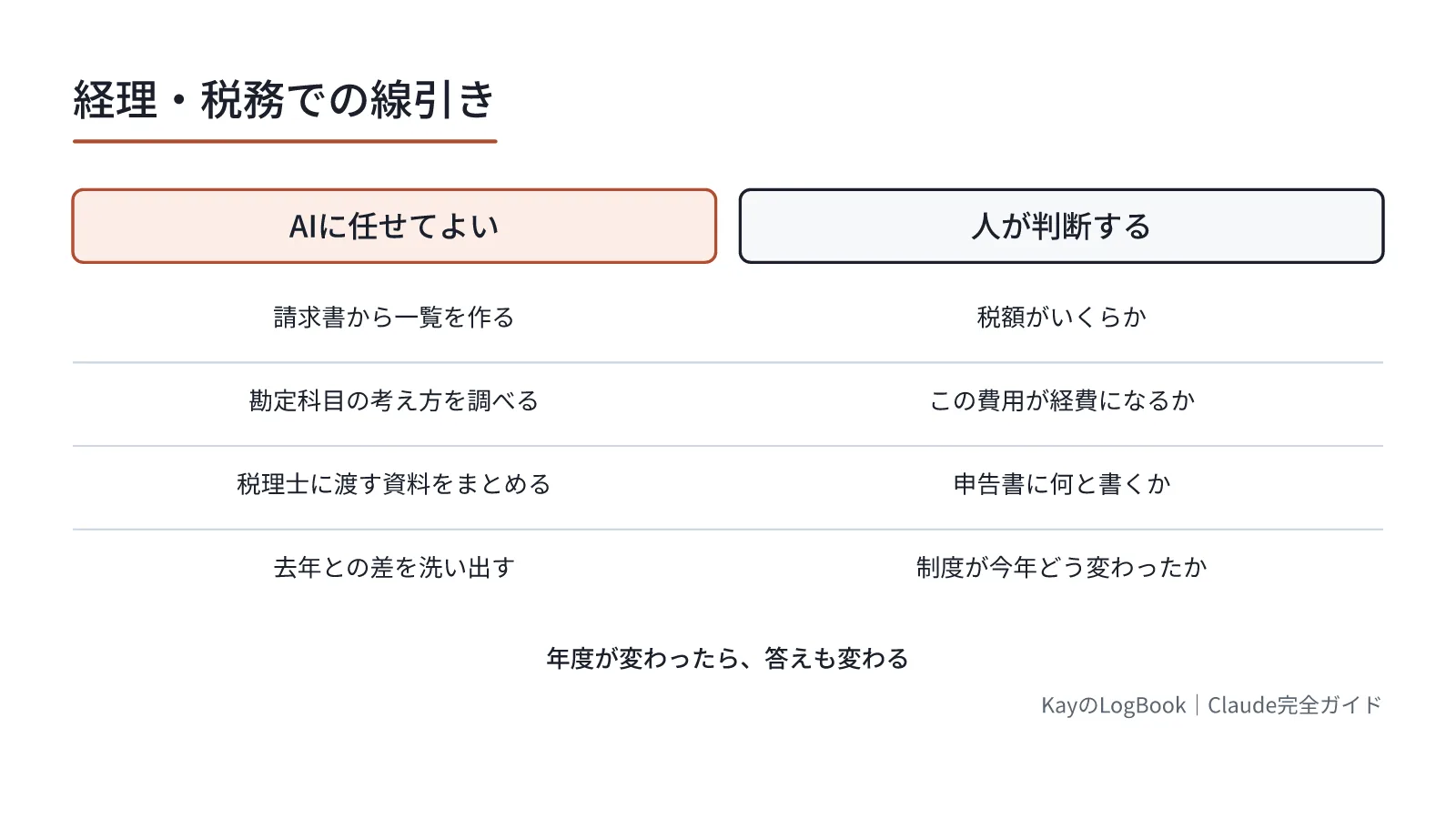
Fine to hand off:
- Building a list from invoices
- Researching how account categories work
- Assembling materials for your tax accountant
- Finding differences from last year
For a person to decide:
- How much tax is owed
- Whether a cost is deductible
- What to write on the return
- How the rules changed this year
Always make it state the year#
The most dangerous thing in tax questions is getting an answer based on last year’s rules.
Please explain (your question).

- Always state which point in time the rules you describe apply to
- If they may have changed, say so
- Also tell me which National Tax Agency page I should check

I will confirm the actual rules myself in the primary source.
The last line is the attitude. What you ask Claude is “where should I look,” not “what is the answer.”
As described in Chapter 2, No.18, always have it look up anything whose answer may differ between last year and this year. Then open the source yourself.
Processing invoices#
This is where it helps most in practice. It has exactly the same shape as the quote example followed since Chapter 2.
From the invoice PDFs in this folder, extract the following into a list.

- Date, client, subject, amount before tax, consumption tax, total
- Leave any field you can't read blank, and report which file and where
- Split invoices with multiple tax rates into separate rows
- Always calculate amounts with code; never count by eye

Confirm that the number of rows matches the number of input files.
Never count by eye, as covered in No.59. Since money is involved, this matters even more here.
Always include the count check as well (Chapter 4, No.33).
Preparing for bookkeeping#
Researching how account categories are “thought about” works well. The trick is not to let it decide.
Suggest candidate account categories for the following expense.

- If there are several candidates, explain the reasoning for each
- Explain why opinions might differ
- Don't decide for me. I will confirm with my tax accountant in the end
- Include the perspective of staying consistent with our past journal entries

Expense: (description, amount, purpose)
The perspective of staying consistent with your own past entries pays off in practice. Even if something is correct in general, you want to avoid inconsistency within the company.
Organize before handing things to your tax accountant#
I think this is the healthiest use of all.
I'm putting together materials for my tax accountant.

- From the attached list, point out items that probably need checking
- Large amounts, items that differ from last year's pattern, items with unclear classification
- For each, add one line on "what to ask"

Don't make any judgments. Just organize.
Always include “don’t make any judgments.” It’s the same structure as No.62.
Year-end comparison#
This is for surfacing differences from last year.
I'm attaching this year's and last year's lists.

- Increase/decrease and rate of change for each category
- Items that exist this year but not last year, and vice versa
- Categories whose pattern has changed significantly

Do the calculations in code. Don't guess at the reasons.
The key is adding “don’t guess at the reasons.” When a plausible explanation is attached to a change in the numbers, your checking gets sloppy.
Think first about whether you may share it#
Invoices and ledgers are financial documents. As written in Chapter 4, No.27, these are something the official safety guide specifically calls out.
Check your company’s rules before working with them (No.78). Even as a sole proprietor, keep in mind that they contain information about your clients.
Try it: Have it list items to check (5 minutes)
Prepare one list of expenses you have on hand. Feel free to round amounts or hide client names.
Prompt
“`
From the attached list, point out items that probably need checking.
- Large amounts
- Items whose classification looks unclear
- Items with the same content but inconsistent categories
Don’t make any judgments. Just organize.
For each, add one line on “what to check.”
“`Expected result: A list of items that need checking. It often finds places where the same kind of item has inconsistent categories.
If it doesn’t work: If it declares “this category is correct,” the instruction isn’t taking hold. Strengthen “don’t make any judgments” and tell it again.
Common pitfalls#
Having it calculate tax. Don’t.
Not checking the year. Even when it answers with last year’s rules, the text reads naturally.
Having it count amounts by eye. Always use code (No.59).
Believing an answer like “this is deductible.” It depends on individual circumstances. Confirm with a professional.
Related pages#
- No.59 Data Analysis and Reports — Don’t let it count by eye
- No.68 Organizing Household Finances — Preparing a personal tax return
- No.78 Security and Privacy — Handling financial documents
Summary#
- Claude’s job ends at organizing. It doesn’t decide tax amounts or deductibility
- Always make it state the year, and confirm with the National Tax Agency’s primary sources
- Always calculate amounts with code, and check that counts match
- The healthiest use is organizing before handing things to your tax accountant