Web Search and Research
On this page7 items
In 10 seconds
Claude sometimes answers from memory and sometimes answers after searching.
You can tell them apart by whether there are sources. For prices and the latest situation, always have it search.
The last page of Chapter 2 is the one most directly tied to real-world harm. As explained in No.02, Claude only has information up to the point its training ended. Anything newer, it can’t know without searching.
The problem is that it answers confidently even when it hasn’t searched.
Memory versus search#
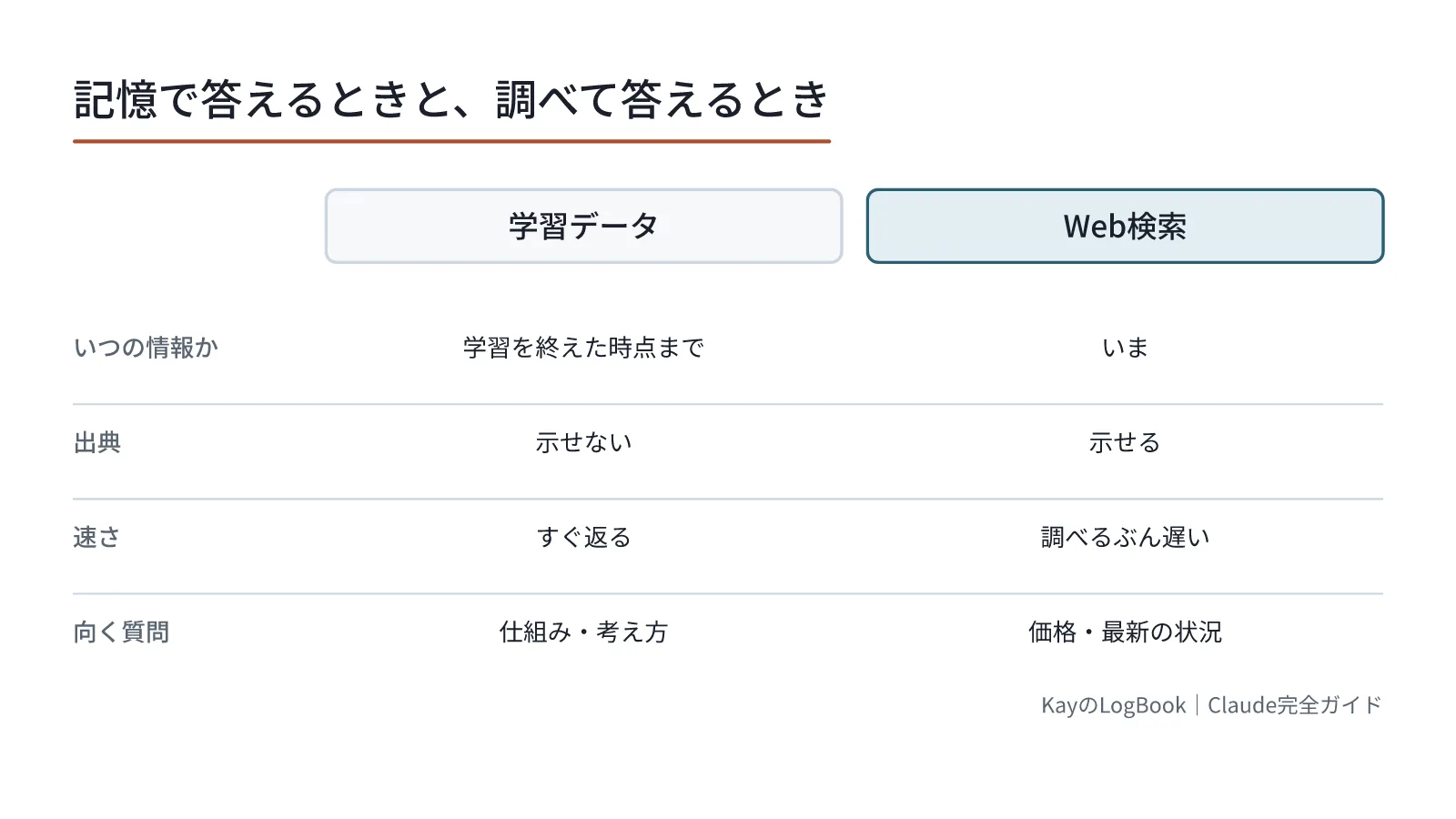
You can’t tell the two apart from how the text looks. The only clear difference is whether it can show sources.
The way to tell is simple: look at whether the answer contains links or sources. If it searched, sources are attached. If not, it’s answering from memory.
When to make it search#
Always make it search for:
- Prices and pricing plans
- The current specifications and availability of services
- Laws, regulations and tax rates
- Recent events and the latest statistics
- The current status of people and organizations
No need to search for:
- Explanations of how things work or ways of thinking
- Advice on writing and structure
- Reading materials you’ve provided
- The meaning of common terms
The rule of thumb is whether the answer would differ between last year and this year. If it would, have it search.
This guide itself runs on this standard: before writing about model names, pricing or feature availability, it always opens the official documentation.
The habit of checking sources#
Having it search doesn’t make things safe. Content can drift even in the process of summarizing search results.
Make just three things a habit.
Have it give sources.
Research this before answering. Also show the URLs of the pages you referenced.Actually open the sources. For important figures, click the link and check with your own eyes. If you don’t open them, asking for sources is only half as useful.
Check the date. The page it found by searching may itself be old. Especially for prices and regulations, look at the article’s date.
💡 A fun fact
When you use web search through the API, it costs $10 per 1,000 searches, separate from the usual token charges. Search isn’t designed as “a free feature for unlimited lookups” but as a tool that costs money. When used in chat it’s included in your plan’s usage, but it isn’t unlimited for the same reason.
Try it: tell whether it answered from memory or after searching (3 minutes)
Ask the same question in two ways.
Prompt (first)
How much are Claude's paid plans?Prompt (second, in a new conversation)
Check the official website and tell me how much Claude's paid plans are. Also show the URLs of the pages you referenced.Expected result: the second answer comes with source URLs. The amounts may differ between the first and second answers.
If it doesn’t work: if they didn’t differ, its memory just happened to be right. You can’t know whether it was right until you see the source. That’s the point.
Common pitfalls#
Assuming that writing “look it up” means it always searches. If no sources are attached, it didn’t search. Check this every time.
Being satisfied with reading only the summary. It’s convenient, and that’s what makes it dangerous. For figures you’ll base decisions on, always go back to the source.
Pointing out outdated information doesn’t fix it. If you say “that’s outdated,” it will correct itself, but that doesn’t mean it knows the new correct answer. As explained in No.02, it may simply be correcting itself to match what you said. Bring the correct information from the source yourself.
Summary#
- Tell whether it answered from memory or after searching by whether there are sources
- Always have it search for anything whose answer would differ between last year and this year
- Don’t just have it give sources; open them yourself to check important figures
Where to go from here#
That’s the end of Chapter 2. You now have the basics of chat covered.
- Everyday life track → Chapter 9, Shopping and comparing options (No.65)
- Work track → Chapter 4, What is Cowork? (No.26)
- Creative track → Chapter 3, What is an agent? (No.19)
If you’re on the development track, you went from Chapter 1 to Chapter 3. The quote-comparison task continues in Chapter 4 (Cowork) and Chapter 5 (Claude Code).