What Is Claude Code?
On this page7 items
In 10 seconds
It’s a tool that reads and writes files, runs commands, and checks the results itself.
It isn’t just a tool for code. This guide itself is made with it.
Chapter 3 covered how agents think, and Chapter 4 covered Cowork. Claude Code is the most flexible form of the same mechanism.
The quote-processing job reaches its final form here. In Chapter 4 it was “hand over a folder and wait.” With Claude Code, you can write the procedure itself into a file and have it run on its own every week.
It isn’t just a tool for code#
The name causes misunderstandings, but what Claude Code does is read files, write them, run commands, and check the results. The target doesn’t have to be code.
This guide is a real example. 84 pages of manuscript, SVG diagrams, export scripts, posting to WordPress. All of it runs on Claude Code. What’s being written is prose; the code is just support.
The same pattern fits:
- Creating or fixing large volumes of routine documents
- Converting and aggregating data
- Doing a fixed procedure the same way every time
- Automatically checking something before publishing it
Work whose procedure can be written in words and whose results can be verified is generally a good fit.
Where it runs#
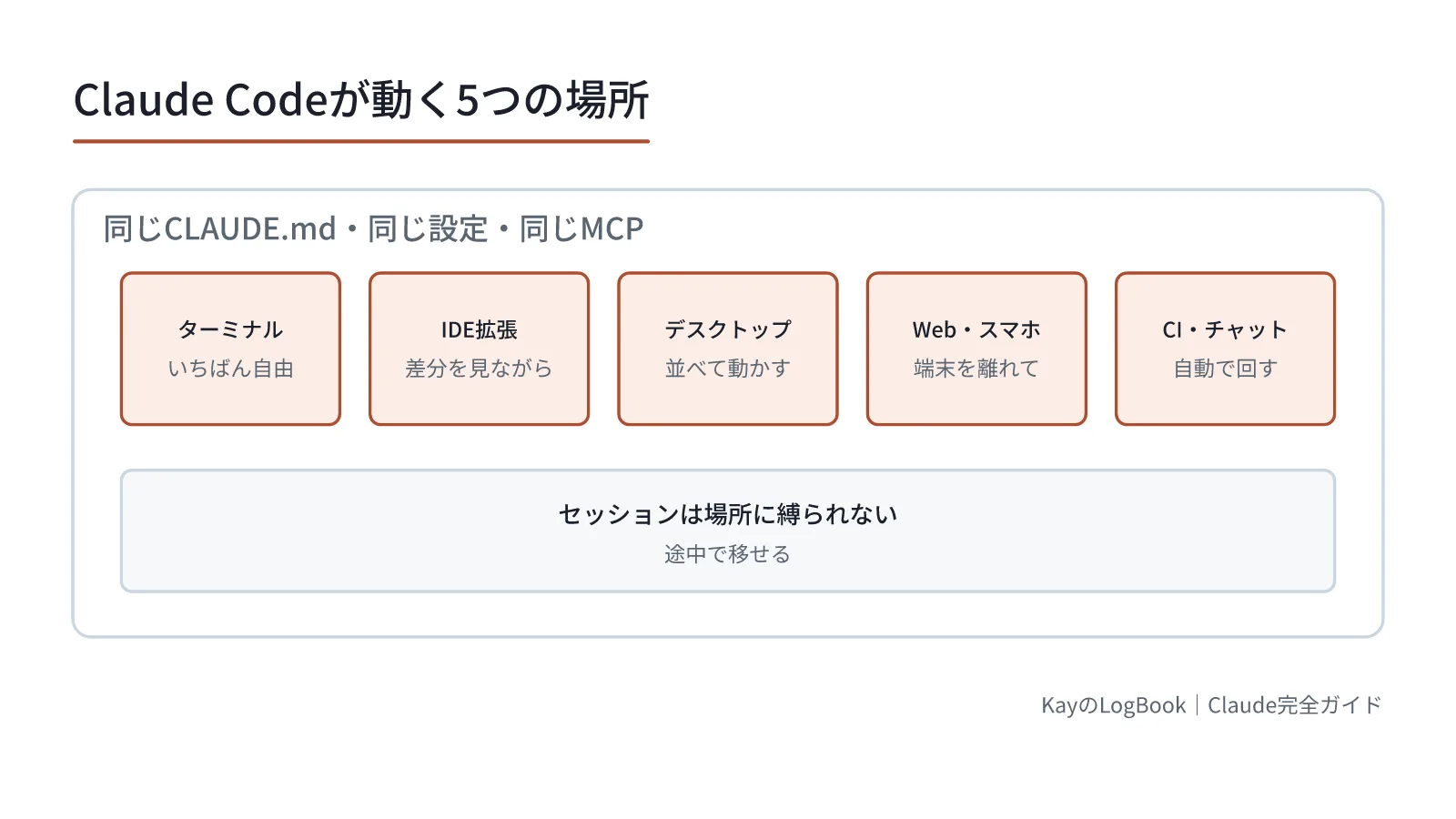
According to the official documentation, Claude Code runs in several places.
| Where | Characteristics |
|---|---|
| Terminal | The most flexible. Can be connected with pipes |
| VS Code / JetBrains | Work while viewing diffs |
| Desktop app | Run multiple sessions side by side. No CLI install needed |
| Web / mobile | Keep it running even away from your machine |
| CI / Slack | Run it automatically |
Every place connects to the same engine. The repository’s CLAUDE.md, the settings, and the MCP servers are all shared.
And sessions aren’t tied to a place. You can, for example, move work started in the terminal over to the desktop app to review the diff.
How it differs from Cowork#
They’re close, so let’s sort them out.
| Cowork | Claude Code | |
|---|---|---|
| Entry point | GUI. No terminal needed | Terminal by default (a GUI also exists) |
| What it can touch | The connected folder | The launch directory and below |
| Strength | Delegating office work on the spot | Solidifying a procedure into a system |
| Repetition | Scheduled runs (cloud) | Skills, hooks, CI, scheduled runs |
Cowork is a tool for delegating; Claude Code is a tool for building systems. That’s probably the closest way to put it.
For one-off tasks, Cowork is enough. If you do it every week, solidifying it with Claude Code is cheaper.
What you need#
You need a paid subscription (Pro, Max, Team, Enterprise) or a Console account. The terminal version, VS Code, and JetBrains can also be used via third-party providers.
Installation steps are covered in #35.
Try it: find work worth turning into a system (3 minutes)
Regular chat is fine.
Prompt
“`
I’ll list tasks I do repeatedly. For each one, classify it as either
”asking each time is enough” or “worth solidifying the procedure into a system.”
Include the reason for your judgment.
- (About 4 tasks. Include how often you do them)
“`Expected result: They split by frequency and how stable the procedure is. Weekly tasks lean more toward systematizing than monthly ones.
If it doesn’t work: If everything comes back as “asking each time,” you forgot to write the frequency. How many times you do the same thing is central to the decision.
Common pitfalls#
Thinking it’s only for engineers. The terminal takes some getting used to, but all it’s doing is “handling files.” With the IDE extensions or the desktop app, you barely look at the terminal (#36).
Skipping Cowork. You can, but picking up a highly flexible tool without a feel for delegating to agents leads to accidents. Going through Chapter 4 first is the natural path.
Trying to automate from the start. First do it once by hand, then once in conversation, then turn it into a system. Skip this order, and you end up automating something that doesn’t work.
Summary#
- It isn’t just a tool for code. It suits any work that handles files
- It runs in the terminal, IDEs, desktop, web, and CI, and settings are shared
- Cowork is a tool for delegating; Claude Code is a tool for building systems
- The order: once by hand → once in conversation → into a system