A Map of Claude Products
On this page9 items
In 10 seconds
Claude has five entry points: chat, Cowork, Claude Code, the API and extensions.
The model running behind them is the same; what differs is only where you use it and what it can touch.
So far we’ve treated “Claude” as a single thing. In reality there are several entry points, and quite a few names come up. To close Chapter 1, here is a map.
Let’s start with the conclusion: they all run the same model. What differs is only where you use it and what it can touch. So everything you’ve learned through Chapter 1 applies as is, whichever entry point you use.
The five entry points#
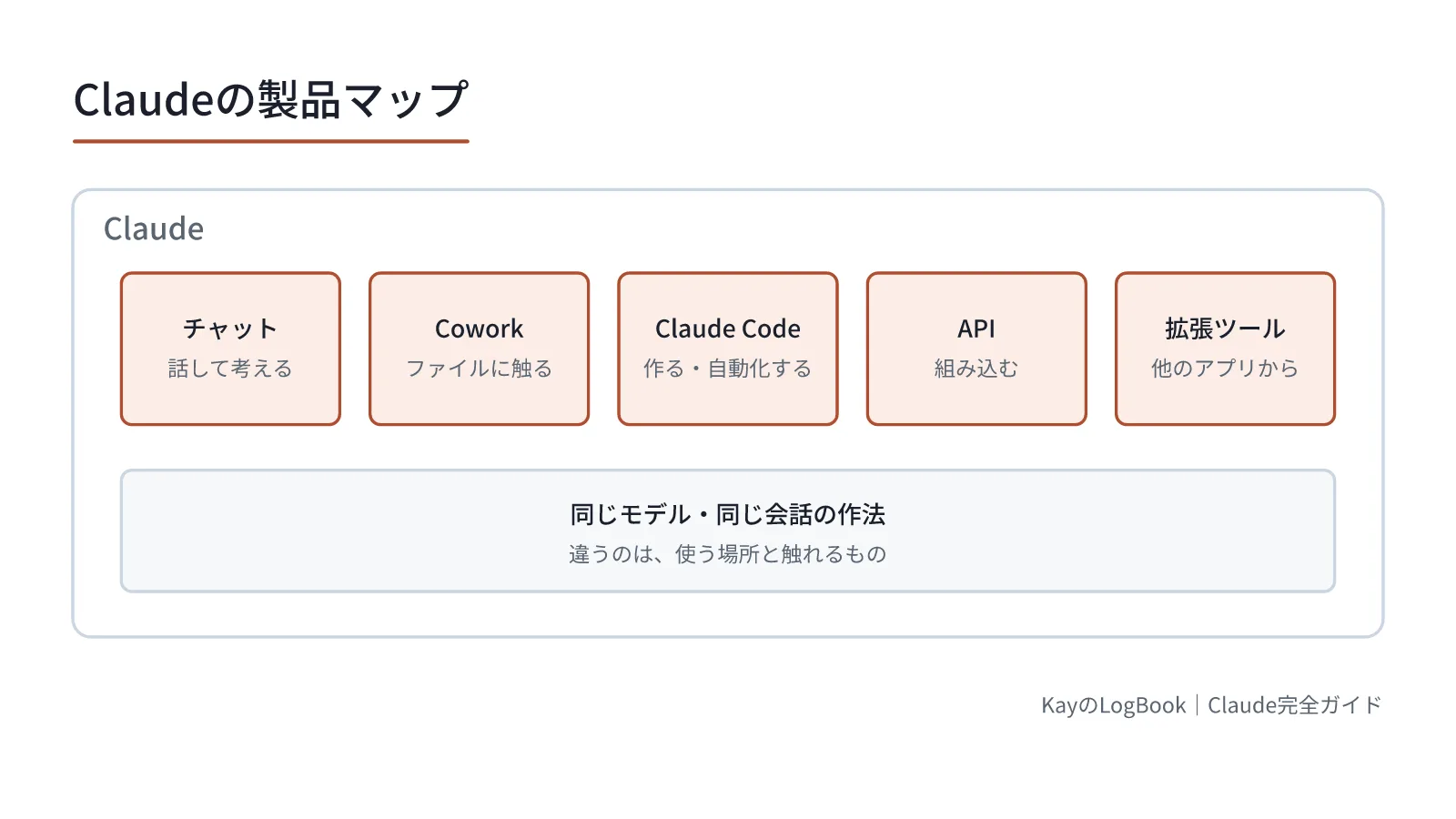
Chat. The browser, the desktop app and the mobile app. This is the most basic entry point. You talk to it in text, and it replies in text. You can also hand it materials to read. It can only touch what you hand it.
Cowork. You point it at a folder on your computer and let it work directly with the files inside. Renaming, sorting, converting, cleaning up spreadsheets. The decisive difference from chat is that the result remains as files, not on screen.
Claude Code. A tool that runs in the terminal. As the name suggests, it’s aimed at development, but it isn’t a code-only tool. This guide itself was made with it. It reads and writes files, runs commands and checks the results. It is the entry point with the most freedom.
API. The entry point for calling Claude from your own programs. Building it into internal systems, running large volumes of processing, putting it into your own service. It is billed separately from the monthly plans (No.08).
Extensions. Ways to use Claude from inside other apps, such as spreadsheets or your browser. The advantage is that you don’t have to change your existing workflow.
Which one to choose#
The most reliable way is to choose based on the shape of the work.
| What you want to do | Best entry point |
|---|---|
| Organize your thinking, write text | Chat |
| Organize or convert files on your computer | Cowork |
| Have it read materials and summarize them | Chat |
| Write programs, automate repetitive tasks | Claude Code |
| Build it into your own system | API |
| Not leave the app you’re already using | Extensions |
If in doubt, start with chat. When you feel “I’m doing the same thing every time,” that’s the signal to move up to the next entry point.
Know what it can’t do, too#
Each entry point has a defined range of what it can touch. This isn’t a limitation; it’s a line drawn for safety.
Chat doesn’t read files you haven’t handed it. Cowork doesn’t touch folders you haven’t specified. Being able to decide for yourself what it can touch is the precondition for delegating with peace of mind.
How to set that range is covered concretely in the Cowork setup (No.27) and Claude Code permissions (No.39).
Try it: decide which entry point each of your tasks belongs to (5 minutes)
Prompt
“`
Here are tasks I do every week. For each one, classify it as
”suited to chat,” “suited to working directly with files,” or “better automated
with a program,” and explain why.・(list three to five tasks)
“`Expected result: a classification and reason for each task. You start to see that the same task can belong elsewhere depending on how often you do it.
If it doesn’t work: if everything comes back “suited to chat,” your task descriptions are too abstract. Make them as concrete as “every Monday, copy the amounts from five companies’ invoice PDFs.”
Common pitfalls#
Thinking each entry point is a different AI. It’s the same model. Ways of writing instructions that worked in chat work just as well in Claude Code.
Jumping straight into the entry point with the most freedom. Claude Code is powerful, but using it without a feel for what’s safe to delegate leads to accidents. Getting a feel for it in chat first should end up being faster.
Trying to memorize product names. Names and lineups change. Think in terms of two axes, where you use it and what it touches, and you’ll be able to cope even when the names change.
Tips for going further#
Combining multiple entry points is what it looks like once you’re used to it. Set the direction in chat, execute in Claude Code, then review the results in chat again. The production of this guide runs this way too. The record of that is in No.83.
Related pages#
- No.10 Claude app basics — starting from the chat entry point
- No.26 What is Cowork? — working with files
- No.34 What is Claude Code? — the entry point with the most freedom
- No.51 API basics — building it in
Summary#
- There are five entry points: chat, Cowork, Claude Code, the API and extensions
- The model running behind them is the same. What differs is where you use it and what it touches
- If in doubt, start with chat. When you feel you’re repeating the same thing, move up an entry point
Where to go from here#
That’s the end of Chapter 1. From here, where you go depends on your reading track.
- Everyday life track → Chapter 2, Claude app basics (No.10)
- Work track → Chapter 2, Claude app basics (No.10)
- Development track → Chapter 3, What is an agent? (No.19)
- Creative track → Chapter 2, Claude app basics (No.10)
Feel free to switch tracks along the way.