How to Run a Claude Code Session
On this page7 items
In 10 seconds
Explore → plan → implement → verify. Just sticking to this order changes the results.
When it starts heading the wrong way, it’s faster to stop it withEscthan to watch it to the end.
What makes the biggest difference in Claude Code isn’t how you use the tools but how you run the work.
The four stages#
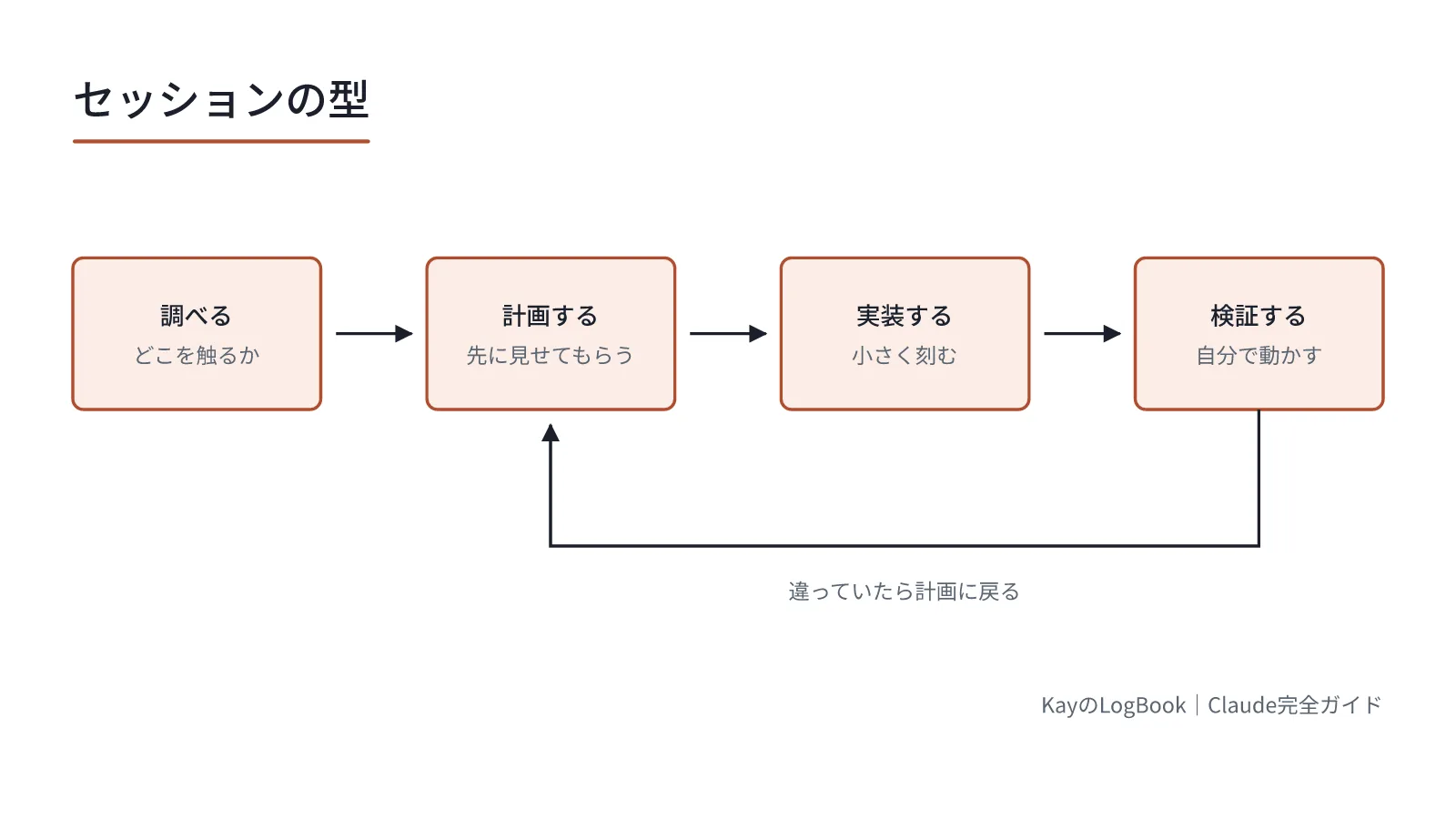
Explore. Don’t have it fix things right away. Ask, “First, investigate which parts we’ll need to touch.” It only reads, so it’s safe, and you learn whether it matches your own understanding.
Plan. Press Shift+Tab to switch to plan mode, and Claude reads files and proposes an approach, but doesn’t modify anything. Approve the approach before moving on to implementation.
The official documentation also recommends plan mode for involved tasks. The reason is clear: redoing work after heading in the wrong direction is expensive.
Implement. This is the first time anything gets modified. The trick is to work in small steps. Writing one file and checking it, over and over, finishes faster than having it write ten files at once.
Verify. Run the tests, actually run the thing, read the diff. Have Claude check its own work, then have a human look again (#22).
Give it material to verify against#
This is a tip from the official docs, and it really works. Give Claude, up front, material it can use to check for the right answer on its own.
- Test cases
- Expected output
- Screenshots
- The conditions for “this counts as success”
With that material, Claude fixes things itself before you point them out. Fewer round trips.
Interrupt#
Make a habit of pressing Esc.
Watching it all the way through after it has started heading the wrong way wastes both time and tokens. If you read three lines and think “that’s not it,” stop right there.
After stopping, you have two options.
Rephrase. Continue with “No, instead please do X.” The conversation is still there, so you can change course midway.
Roll back. Use /rewind or press Esc twice to return to an earlier state (#39). It can restore files too, so you don’t leave things half-modified.
The rule of thumb is whether anything has already been modified. If it’s only been reading, rephrase; if files have changed, roll back.
Split conversations#
The same point as Chapter 1, #06 applies here. When you start a different task, use /clear.
In Claude Code, the effect shows up in cost. The longer the conversation, the heavier each request becomes, and the more usage grows (#44).
If you name the session with /rename before /clear, you can come back to it later with /resume.
Common pitfalls#
Trying to get it all done in one go. “Build this feature, write the tests, and commit it too” tends to fail. Breaking it into stages and checking in between ends up faster.
Watching it to the end. If you wait, thinking “it might be wrong, but let’s see a bit more,” the fix gets bigger. The earlier you stop, the cheaper it is.
Skipping verification. Code that looks like it works and code that works are different things. Always run it.
Giving indirect feedback. “Something feels off” won’t get it fixed. Write what is wrong and how. This has been a consistent theme since Chapter 2.
Try it: one round trip in plan mode (5 minutes)
In a repository you have on hand, pick one smallish change.
Press
Shift+Tabto switch to plan mode, then ask this.Prompt
I want to (the change you want to make). Just draw up a plan for which files to change and how. Also list the scope of impact and what should be checked.Read the plan, approve it, and let it implement.
Expected result: a plan comes out first. Reading it, you may find files you hadn’t anticipated.
If it doesn’t work: if the plan is abstract, have it go as far as “which file, around which line.” Approving a plan that isn’t concrete is meaningless.
Summary#
- Explore → plan → implement → verify
- For involved tasks, approve the plan in plan mode first
- Give it verification material up front. Fewer round trips
- If it looks wrong, press
Escwithout watching to the end