What Is Cowork
On this page7 items
In 10 seconds
Cowork is Claude that works directly with your files. Results stay as files, not on the screen.
It’s a paid-plan feature, and no terminal is needed.
Chapter 3 covered how agents think. Cowork is that idea shaped for office work.
For the quote-processing job, this is where things change. In Chapter 2, you pasted PDFs into the conversation one at a time and copied the returned table into Excel yourself. With Cowork, you hand over the folder and say “put this into a table.” The Excel file appears right there.
How it differs from chat#
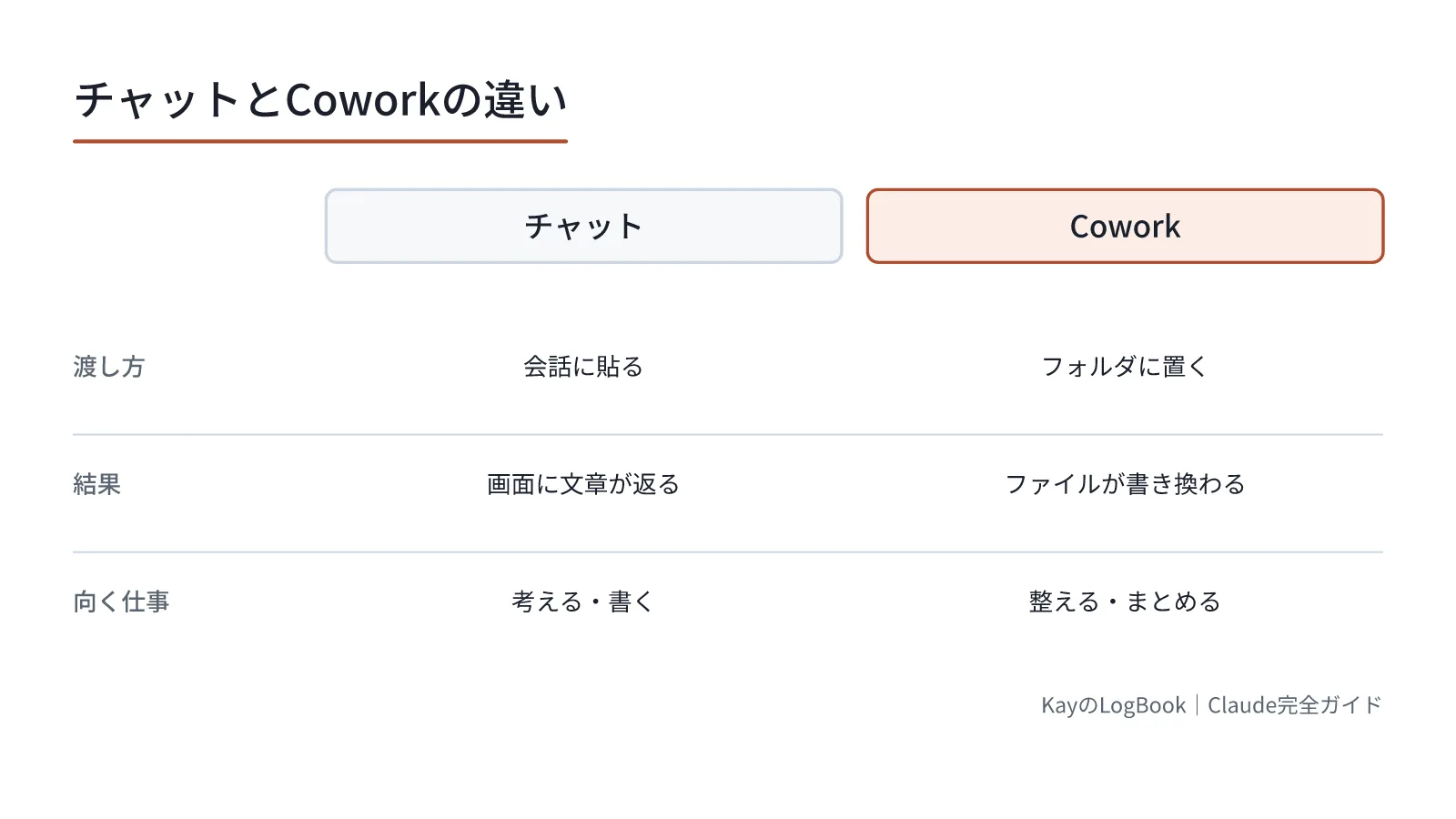
There’s one decisive difference: results remain as files.
In chat, you paste materials into the conversation and receive answers on screen. To use that answer, you have to copy and paste it yourself. That last bit of effort was actually a large part of the job.
Cowork reads files in a folder and writes files into the folder. No copying or pasting.
The official description says it runs on the same mechanism as Claude Code, without needing a terminal. For people who don’t plan to read Chapter 5, it’s the entry point to agents.
What it can do#
These are the items listed in the official documentation.
- Organizing and converting files (renaming, sorting, format conversion)
- Creating spreadsheets and presentations (with working formulas)
- Editing documents in place (opening and fixing them rather than recreating them)
- Operating a browser (reading pages, filling forms, clicking)
- The whole flow from research to finished material
- Scheduled runs (#31)
- Handing off parts of the work to another worker (the idea from #23)
“Creating spreadsheets with working formulas” sounds modest, but it matters. A table with pasted values and a table with formulas have very different uses afterward.
Where you can use it#
It’s available on Pro, Max, Team and Enterprise. Not on the free plan.
There are several places to use it.
| Where | Can it touch local files? |
|---|---|
| Desktop app (macOS / Windows) | Yes |
| Web (claude.ai) | No |
| Mobile app | No |
| Chrome side panel | No |
For working with local files, use the desktop app. From the other places, you can give instructions and see results. Giving instructions while you’re out is covered in #31.
Jobs it suits, jobs it doesn’t#
Good fits:
- You have several documents in the same format and want to consolidate them
- You want to standardize file names or locations
- You want to build material in a fixed format from raw inputs
- You have the same task every week
Poor fits:
- One-off work that’s mostly thinking (chat is enough)
- Work where the decision itself is the goal (#19)
- Operations that can’t be undone if they go wrong (#21)
The rule of thumb is whether the manual work is the core of the job. If it is, Cowork fits.
Try it: identify the manual parts (5 minutes)
Try this in chat. It’s how you decide what to delegate before adopting Cowork.
Prompt
“`
Here are tasks I do every week. For each one,
split it into “the thinking part” and “the hands-on part.”
Then estimate what share of the time goes to the hands-on part.
- (Write three tasks, with specific steps)
“`Expected result: each task splits in two, with a share for the hands-on part. Anything over half is a Cowork candidate.
If it doesn’t work: if it says it can’t split them, your steps are too coarse. Write them down to the level of “open the file” and “copy the numbers,” and they’ll split.
Common pitfalls#
Thinking it’s a strict upgrade from chat. It isn’t. For work that’s mostly thinking, chat is faster. Cowork helps with the hands-on part.
Handing over a production folder right away. The next page, #27, is the most important page in this chapter. Read it first.
Not checking the files it produces. Because the results remain as files, it’s easy to pass them on to the next step unchecked. The reviewer role from #22 stays with a human here too.
Summary#
- Cowork is Claude that works directly with files. Results remain as files
- Same mechanism as Claude Code, no terminal needed
- For local files, use the desktop app. A paid-plan feature
- It suits work centered on manual tasks. If it’s mostly thinking, chat is enough