submodule and subtree
What you will learn on this page
- Understand that a submodule points to "which version of another repository"
- Understand that a subtree copies another repository's contents into your own history
- Bring in updates from the other repository with each method
- Decide which one to choose
On this page9 items
In #33, you opened one repository in multiple folders. This page is the reverse: it’s about bringing another repository into your own. This comes up when you want to reuse shared components or materials across several projects. There are two methods: submodule and subtree.
Two ways of bringing it in#
For practice, let’s create another repository: a small one collecting kitchen tips.
cd ~
mkdir kitchen-tips
cd kitchen-tips
git init
echo "Wash knives after every use" > knives.txt
git add knives.txt
git commit -m "Add knife care"
cd ~/git-practice
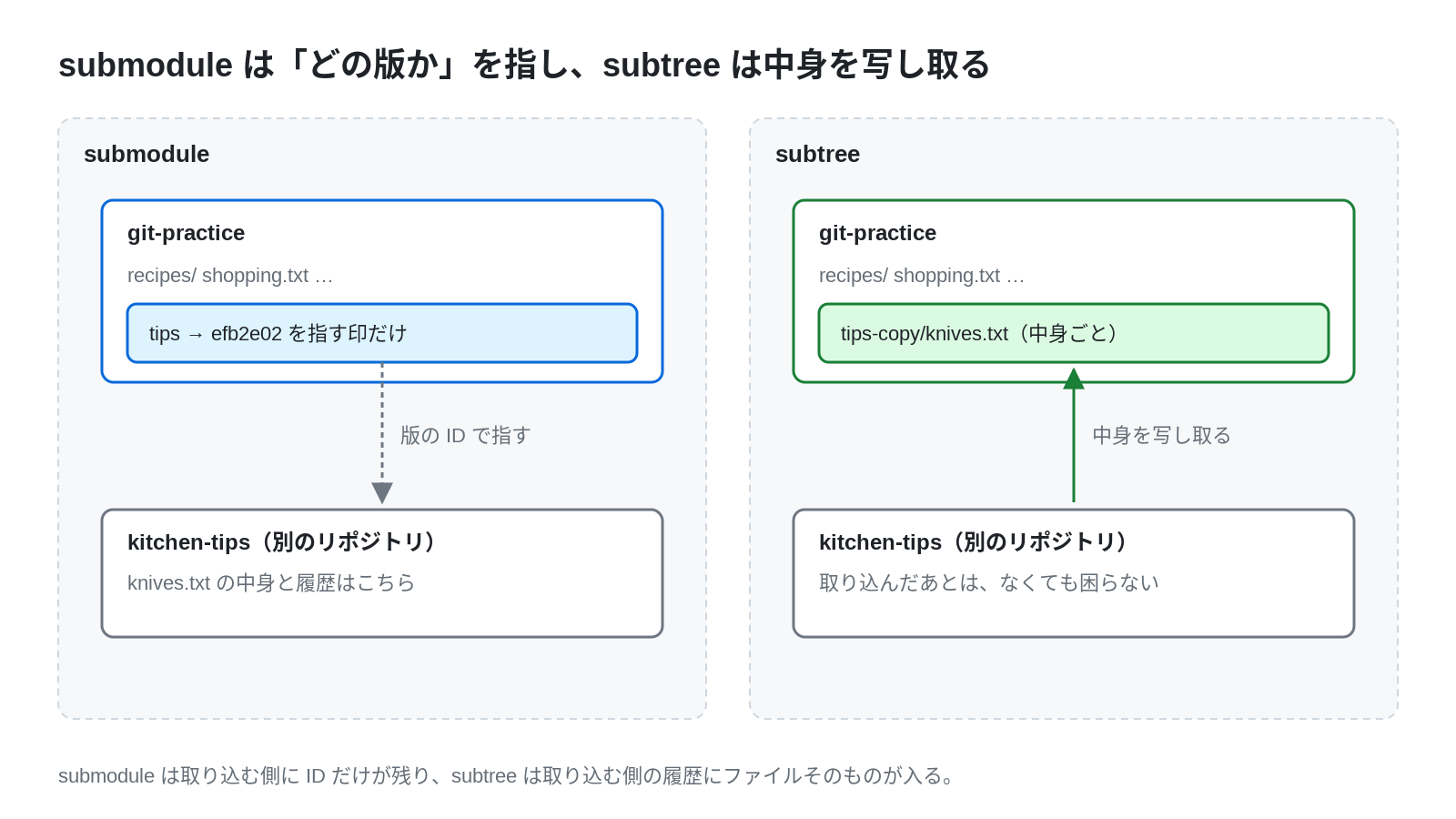
You’ll bring this into git-practice. The two methods differ in what they leave in the receiving repository.
submodule: pointing to a version#
Adding it#
git -c protocol.file.allow=always submodule add ../kitchen-tips tips
git status -sCloning into '/Users/taro/git-practice/tips'...
done.
A .gitmodules
A tipsgit submodule add <repository> <folder> brought kitchen-tips into a folder called tips. .gitmodules records where it came from.
[submodule "tips"]
	path = tips
url = ../kitchen-tipsWhat’s worth noticing is what the receiving repository recorded.
git diff --cached tipsdiff --git a/tips b/tips
new file mode 160000
index 0000000..8aca507
--- /dev/null
+++ b/tips
@@ -0,0 +1 @@
+Subproject commit 8aca50721b1043124769d0a8308b1a2447b795e5What’s recorded isn’t the contents of knives.txt but only Subproject commit 8aca507…, the ID of a kitchen-tips commit. Inside the tree you saw in Part 3, #17, a marker (of type 160000) is placed saying “this spot is this version of another repository.”
git commit -m "Add kitchen tips as a submodule"When the other repository is updated#
Suppose a new commit is added on the kitchen-tips side.
cd ~/kitchen-tips
echo "Let cutting boards dry" >> knives.txt
git commit -am "Add cutting board care"
cd ~/git-practice
The tips folder in git-practice doesn’t update automatically. A defining property of submodules is that as long as the version ID it points to doesn’t change, the contents don’t change either. To get the latest, you bring it in again explicitly.
git -c protocol.file.allow=always submodule update --remote
git status -sSubmodule path 'tips': checked out 'efb2e026cd529044400d8e9f1644866ee65ec550'
M tipsM tips means “the version it points to has changed.” Only after you commit this does git-practice point to the new version.
git commit -am "Update kitchen tips to the latest"subtree: copying the contents#
This time, bring the same kitchen-tips into a folder called tips-copy using subtree.
git subtree add --prefix=tips-copy ../kitchen-tips main --squashgit fetch ../kitchen-tips main
From ../kitchen-tips
* branch main -> FETCH_HEAD
Added dir 'tips-copy'--prefix is the destination folder, followed by the repository and branch to bring in. --squash means “bring in the other repository’s history squashed into a single commit,” which keeps the receiving repository’s history from filling up with the other repository’s commits.
git ls-tree HEAD tips-copy040000 tree 08e70991eac770069bc94e658f04e15753e9d70a tips-copyUnlike with the submodule, tips-copy is an ordinary tree (folder). The contents of knives.txt are part of git-practice’s records. After bringing it in, you’re fine even without kitchen-tips. When someone else uses this repository, no special steps are needed either.
To bring in updates from the other repository, use git subtree pull.
git subtree pull --prefix=tips-copy ../kitchen-tips main --squash -m "Update kitchen tips (copy) to the latest"Which to choose#
| submodule | subtree | |
|---|---|---|
| What remains in the receiving repository | The other repository’s version ID | The other repository’s contents themselves |
| The other repository | Needed every time you use it | Not needed after bringing it in |
| Effort for users | Requires a step to bring it in again | Same as an ordinary repository |
| Updates from the other repository | Explicitly move the version forward | Copy again with subtree pull |
| Good for | Large dependencies, or pinning the version strictly | Small shared components, avoiding extra steps |
If in doubt, it’s safest to start by considering subtree, which is less effort for users. submodule suits cases where the other repository is large and you don’t want to copy it wholesale, or where “pinning to this version” matters.
Once you’re done practicing, remove both. They’d get in the way later on, when you put the practice repository on GitHub.
git rm tips
git rm -r tips-copy
git commit -m "Remove the practice imports"FAQ#
Q. I got a repository that uses a submodule, and the tips folder was empty.
A. A submodule’s contents have to be brought in separately. git submodule update --init brings in the contents of the version it points to. How to do it all at once when getting the repository (git clone --recurse-submodules) is covered in Part 6.
Summary#
- A submodule points to “which version” of another repository by ID. The contents live in the other repository
- A submodule’s contents don’t update automatically. Changes take effect only after you move the version forward and commit
- A subtree copies another repository’s contents into your own history. After bringing it in, you’re fine without the other repository
- If in doubt, use subtree for less effort; use submodule if you want to pin the version strictly
Next page#
35. hooks ── Running Processes Before and After Operations ── Learn how to run set processes alongside Git operations, such as automatically checking the contents right before a commit.