The Difference Between Git and GitHub
What you will learn on this page
- Understand that Git and GitHub are completely different things
- Tell which one's features you're using with every operation
- Know that there are alternatives to GitHub (such as GitLab)
On this page11 items
The previous page explained that because Git is distributed, there are two places: “local” and “shared.” These two correspond to Git and GitHub. Their similar names lead people to treat them as the same thing, but they were made by different companies, run in different places, and do different things.
In a nutshell#
| Git | GitHub | |
|---|---|---|
| What it is | Software | Web service |
| Where it runs | Inside your own PC | On the internet (another company’s servers) |
| Created by | Linus Torvalds (2005) | GitHub, Inc. (2008, now part of Microsoft) |
| Cost | Free (open source) | Free and paid plans |
| Internet connection | Not needed | Required |
| Role | Records history | Shares history and enables collaboration |
GitHub can’t exist without Git. Git works perfectly well without GitHub.
The relationship is like a camera and a photo-sharing service. A camera (Git) can take photos on its own. Instagram (GitHub) is a place to show the photos you took and get comments. You can’t use Instagram without a camera.
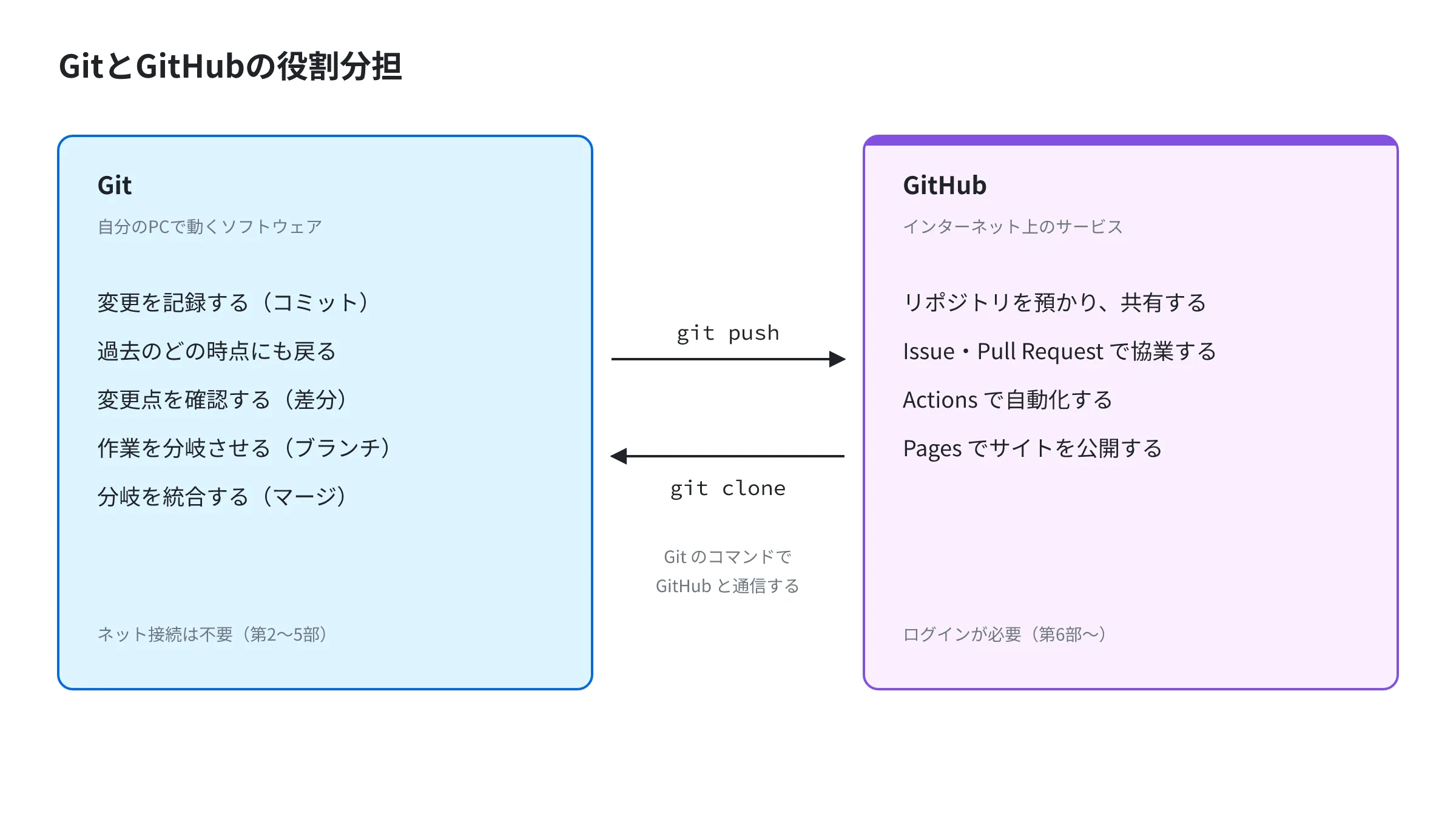
The left side is Git’s territory and the right side is GitHub’s. Only the arrows connecting them are operations that cross between the two worlds.
What Git alone can do#
All five items on the left side of the diagram can be done without ever connecting to the internet. In other words, all the essential version control features live on the Git side. That’s the scope of Part 2.
What GitHub adds#
GitHub is a place that hosts Git repositories, a service that layers features for collaboration on top.
1. Storage and sharing#
It puts your repository in the cloud so that multiple PCs and multiple people can read and write it. It also works as a backup.
2. Tools for collaboration#
| Feature | What it does |
|---|---|
| Issue | Records and discusses tasks, bugs and requests |
| Pull Request | Proposes “please merge this change” and reviews it |
| Projects | Manages work on a kanban board |
| Discussions | A forum for questions and casual conversation |
3. Automation and hosting#
| Feature | What it does |
|---|---|
| GitHub Actions | Automatically runs tests or deploys, triggered by a push |
| GitHub Pages | Publishes repository contents as a static website |
| Releases | Distributes deliverables (such as executables) |
| Dependabot | Detects and alerts you to vulnerabilities in libraries you use |
These aren’t Git features. They’re things the GitHub service provides on its own.
How to tell which one you’re using#
If you lose track of “which one are we talking about now” partway through, use these criteria.
| Criterion | Git | GitHub |
|---|---|---|
You’re typing git ... in a terminal | ✅ | |
| You’re working on github.com in a browser | ✅ | |
| It works even with the internet disconnected | ✅ | |
| You need to sign in | ✅ |
There are exceptions, though. git push and git clone are Git commands, but they talk to GitHub. These two are a state of “using Git to communicate with GitHub,” sitting right on the border between the two worlds. That’s why they’re also what confuses beginners most. Part 6 covers them carefully.
Alternatives to GitHub#
GitHub isn’t the only service that hosts Git repositories.
| Service | Features |
|---|---|
| GitHub | The largest user base. The de facto standard for OSS. The most learning resources |
| GitLab | Offers a version you can install on your own servers (Self-Managed). Strong for in-house corporate use |
| Bitbucket | Strong integration with Atlassian products such as Jira |
| Gitea / Forgejo | Lightweight and self-hostable. Runs even on a NAS |
All of these are services that work with Git, so your Git knowledge carries over as is. Switching requires almost no relearning. This guide spends time on Git fundamentals because that knowledge lasts a lifetime.
FAQ#
Q. Is it correct to say “upload to GitHub”?
A. It works in everyday conversation, but what happens internally is a little different from an “upload.” Git compares your local history with the history on GitHub and sends only the difference. This is covered in Part 6, #39 (push).
Q. If I create a GitHub account, can I use Git too?
A. No. Git has to be installed separately on your own PC. This is covered in Part 2, #06.
Q. Is it OK to put company code on GitHub?
A. If you make it a Private repository, it can’t be seen from outside. However, some company policies forbid storing source code on external services. If you use it in an organization, be sure to also review permission design (Part 7, #49) and security features (Part 8, #57).
Summary#
- Git is software that runs on your PC; GitHub is a web service on the internet
- All the essential version control features (recording, restoring, branching, merging) live on the Git side
- What GitHub adds is “sharing,” “collaboration” and “automation”
- When you type
git ...it’s Git; when you work in a browser it’s GitHub - Git knowledge works as is on other services such as GitLab
Next page#
04. Creating a GitHub Account — Time to get hands-on. You’ll create an account and set up two-factor authentication, which is now required.